


Before you even think about where to sell your old laptop, you need to get a clear picture of what it's actually worth. It's not about guesswork; it’s about a quick but thorough audit of its specs, condition, and functionality. Getting this right is the secret to setting a realistic price and picking the best place to sell it.
Figuring Out What Your Laptop is Really Worth
Knowing your laptop's value is more than just plucking a number out of the air. It’s about collecting the hard facts that buyers and trade-in services look for. Nailing this part down early on saves you from getting low-balled or, worse, not getting any offers at all.
The market for used tech is buzzing right now. In fact, recent data shows that around 21% of UK adults are now buying or selling second-hand electronics. It’s a great time to sell, but only if you know your stuff. This shift shows people are more comfortable than ever with the resale market, both for saving a few quid and for environmental reasons.
Nail Down Your Exact Specs
First things first, you need to know what's under the bonnet. Vague descriptions like "a few years old" just won't fly. Buyers need the nitty-gritty details to know what they’re looking at.
- Processor (CPU): This is your laptop's brain. Is it an Intel Core i5 or an AMD Ryzen 7? What generation is it (e.g., 11th Gen)?
- Memory (RAM): How much RAM does it have in gigabytes (GB)? 8GB is pretty standard these days, but 16GB or more is a big plus for demanding tasks.
- Storage (SSD/HDD): Check the type and size. A speedy SSD is much more valuable than an old-school hard drive. Is it 256GB, 512GB, or a roomy 1TB?
- Graphics Card (GPU): If you have a gaming or creative powerhouse, the graphics card (like an NVIDIA GeForce RTX 3060) is a huge selling point. Don't leave it out.
My Go-To Tip: On a Windows machine, just right-click the Start button and head to 'System'. On a Mac, it's even easier: click the Apple icon in the top-left and select 'About This Mac'. All the core info is right there.
Be Honest About Its Physical Condition
Now, take a good, hard look at your laptop. Be your own worst critic and inspect it from every angle, just like a potential buyer would. Its cosmetic condition has a direct impact on the price you’ll get.
Look for any scratches, dents, or scuffs on the body and screen. Are all the keys there? Does the trackpad work smoothly? Are the hinges still tight? A machine in 'Good' condition might have a few signs of normal use, but a cracked screen instantly drops it into the 'Broken' category. Being upfront about any flaws builds trust and speeds up the sale. It's also vital to determine your laptop's age, as this is one of the biggest factors affecting its resale value.
Test Everything (Especially the Battery)
Finally, give it a functional check-up. Plug something into every USB port, test the headphone jack, fire up the webcam, and play some audio to check the speakers. A single dead port can knock a surprising amount off an offer.
The battery is the other big one. A laptop that can't hold a charge for more than an hour is a lot less appealing. You can easily check the battery's health in your system settings to see its remaining capacity. Having this info on hand lets you manage expectations and justify your asking price.
Where Should You Sell Your Old Laptop? Comparing the Best UK Options
Right, you’ve got a good handle on your laptop's condition and what makes it tick. Now for the big question: where do you actually sell it? In the UK, you’re not short of options, and the best choice really comes down to what you value most. Are you after a quick, painless sale, the absolute best price, or a straightforward way to fund an upgrade?
Choosing where to sell your laptop puts you right in the middle of a seriously booming market. The demand for refurbished tech in the UK is growing like wildfire, driven by a collective desire for more sustainable and wallet-friendly gadgets. This market was already worth a hefty $4.11 billion USD recently and is on track to grow by over 13% each year, potentially hitting $16 billion USD by 2035. That's great news for you, as it means more competition and better services for sellers. You can read more about the UK refurbished electronics market to see just how big this trend is.
This decision tree gives you a simple way to think through your laptop's key features before you decide where to sell.
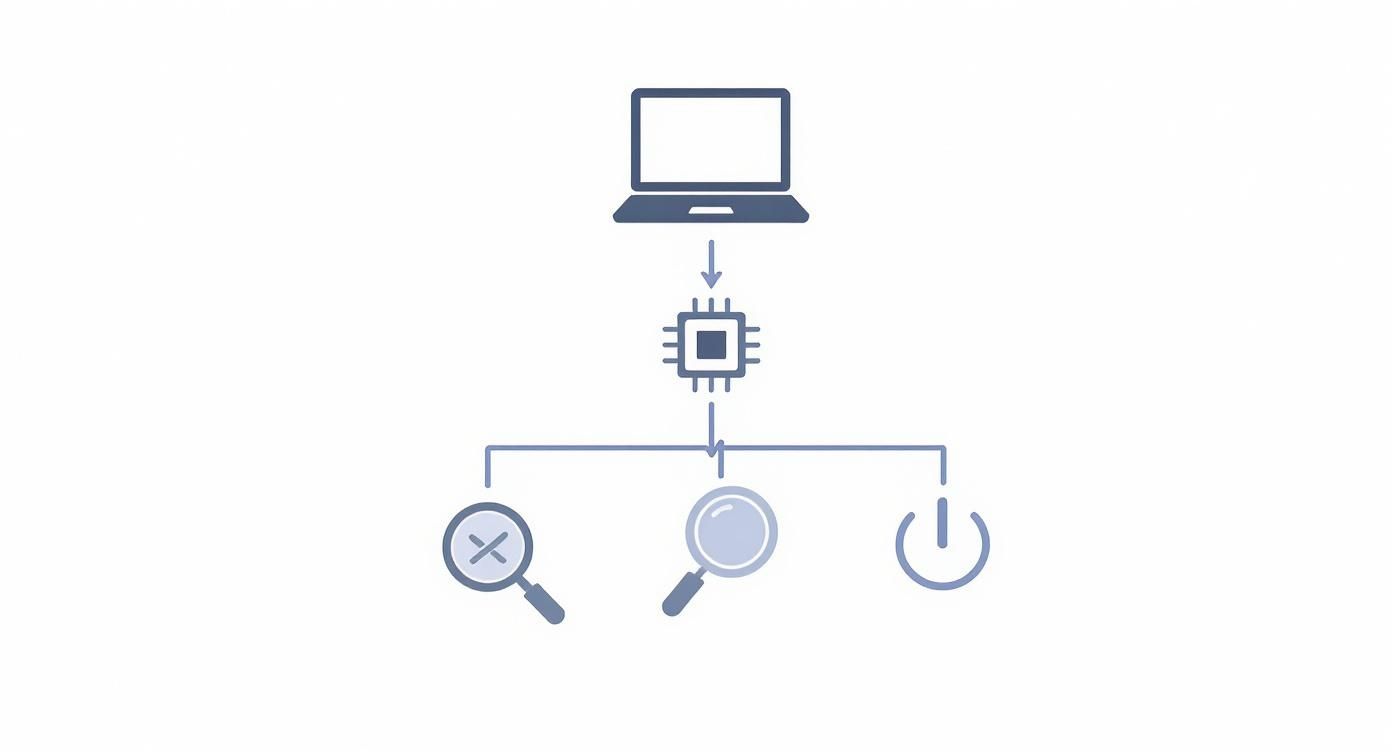
As you can see, it helps you break down the assessment into three core areas: its specs, its physical condition, and how well it still works. This helps you build a really clear picture of what you're selling.
Laptop Selling Platform Comparison
To help you decide, here’s a quick side-by-side look at the main options available. Think about what matters most to you – speed, price, or convenience – as you compare them.
Ultimately, there's no single "best" platform; it's all about what works for your situation. A quick, guaranteed payment from a buyback service might be perfect for one person, while another might be happy to put in the work on eBay to squeeze out every last pound.
Dedicated Tech Buyback Services
If you just want the job done quickly and without any fuss, dedicated buyback platforms are your best bet. Companies like EXE have built their entire business around buying used electronics directly, cutting out the hassle of you having to find a buyer yourself.
The whole process is incredibly simple. You pop your laptop's details into their website, get an instant quote, and then they'll sort out a courier or send you a prepaid postage label. Once they've checked the device over, the money is usually sent straight to your bank account. It's the perfect solution if you want a guaranteed price and a secure, speedy transaction without any haggling.
- Best for: People who need cash quickly and can't be bothered with creating listings or dealing with endless questions from buyers.
- Real-World Scenario: You've just unboxed your shiny new laptop and the old one is sitting on the floor. A buyback service can have it collected tomorrow and the money in your account by the evening. No clutter, just cash.
For anyone who values certainty, getting a direct buyback quote is a game-changer. You know exactly what you’re getting and when. It completely removes the guesswork and stress you often get with private sales.
Online Marketplaces Like eBay or Gumtree
On the other hand, if your priority is getting the maximum amount of cash, then selling it yourself on an online marketplace is the way to go. Platforms like eBay, Facebook Marketplace, or Gumtree connect you with a massive pool of potential buyers and let you set your own price.
Be warned, though: this route requires a lot more legwork. You'll need to take clear, high-quality photos, write a compelling description, and be ready to field questions. Then there's the whole business of handling payments and shipping, which can be a job in itself.
- Best for: Sellers who don't mind putting in the time and effort to potentially secure a higher price than a buyback service can offer.
- Real-World Scenario: Your two-year-old gaming laptop is in mint condition and still has some seriously powerful specs. You know there are enthusiasts out there who will pay top-dollar for it, so you list it on eBay with loads of photos and a detailed breakdown of its performance.
Retailer Trade-In Programmes
Many of the big high-street names like Apple, Currys, and John Lewis have trade-in programmes. These let you hand over your old laptop in exchange for a discount on a new one. This is a brilliant option if you're already planning to upgrade and know where you're buying from.
The process is usually painless – you get a valuation online and then just drop the device off in-store. The main catch is that you get store credit, not actual cash. The valuation can sometimes be a bit lower than other options, too, because the retailer's main goal is to lock you into buying a new product from them.
- Best for: Anyone who is already set on buying a new device from a specific retailer and just wants a simple way to knock a bit off the price.
- Real-World Scenario: Your old MacBook Air is starting to show its age, and you've got your eye on the latest model from the Apple Store. Trading it in directly with them means you can get a few hundred pounds off the new one without the faff of a separate sale.
How to Securely Prepare Your Laptop for Sale
Before you wave goodbye to your old laptop, there's one critical job to do: making absolutely certain none of your personal information goes along with it. Think of it this way—you wouldn't sell a car with your wallet still in the glove box. Wiping your device properly isn't just a good idea; it's the only way to safeguard your privacy.
Taking the time to do this gives you total peace of mind. The new owner gets a machine that feels brand new, and you get the confidence that your digital life remains securely yours.
First, Back Up Everything You Want to Keep
Right, before we delete a single thing, let's save what matters. Your laptop is probably home to years of photos, important documents, and project files. Losing all that is not an option, so a thorough backup is your non-negotiable first step.
You've got a couple of solid options here, and for anything irreplaceable, I'd even recommend using both.
- Cloud Storage: Services like Google Drive, OneDrive, or Dropbox are brilliant for this. It's often as simple as dragging your key folders over. The best part? Your files are then accessible from anywhere, on any device.
- External Hard Drive: If you've got huge files like video projects or a massive photo library, an external drive is your best friend. Just plug it in, then copy and paste everything you can't live without.
Once the progress bar hits 100%, don't just assume it's all there. Do a quick spot-check. Open a few documents or photos directly from your backup to make sure they're not corrupted. Only when you're sure everything is safe and sound should you move on.
Sign Out and Deactivate Everything
Your laptop is a gateway to your digital life, logged into dozens of accounts for email, streaming, and creative software. It's vital to sever every one of those connections.
Go through your applications and manually sign out of everything. Be on the lookout for services like:
- Apple ID and iTunes on a Mac
- Your Microsoft Account on a Windows PC
- Adobe Creative Cloud
- Spotify or Netflix
- Any other software tied to a personal subscription
Deactivating software licenses is a step people often forget, but it's incredibly important. Many programmes from companies like Adobe or even Microsoft Office only let you install them on a limited number of machines. If you don't deactivate the license on your old laptop, you'll likely run into a major headache trying to activate it on your new one.
A factory reset doesn't always sign you out of everything automatically—that's a common and risky assumption. Always take a few minutes to sign out manually first. It's the only way to be sure every digital tie is cleanly cut.
Perform a Full Factory Reset
Now for the main event: erasing the drive. A factory reset wipes the slate clean, returning your laptop to the state it was in when you first took it out of the box. This process removes your personal files, apps, and settings, making it virtually impossible for the next owner to stumble upon your data.
The exact steps vary a bit between operating systems, but both Windows and macOS have user-friendly tools built right in.
Resetting a Windows Laptop
If you're on a PC running Windows 10 or 11, the process is nice and simple.
- Head to Settings > Update & Security > Recovery.
- Under the "Reset this PC" heading, click Get started.
- This next choice is critical: select Remove everything. This is what deletes your personal files.
- For the most secure option, choose to Clean the drive. It takes a bit longer, but it makes data recovery extremely difficult for anyone else.
Resetting a MacBook
On a Mac, the process is just as straightforward, though Apple has moved the setting around in recent years.
- On newer macOS versions (like Ventura or Sonoma), go to System Settings > General > Transfer or Reset.
- Click Erase All Content and Settings and follow the on-screen prompts.
- For much older macOS versions, you’ll need to restart in Recovery Mode (hold Command + R as it boots up), then use Disk Utility to erase the drive before reinstalling macOS.
Once you've followed these steps, your laptop is a blank canvas, ready for its next chapter without any risk to your private information. This is a crucial foundation before you even think about where to sell your old laptop.
Making Your Listing Stand Out to Real Buyers
This is where the magic happens. A great listing is the difference between a quick, profitable sale and a laptop that just sits there for weeks, gathering digital dust. If you're heading to a marketplace like eBay or Gumtree, a bit of upfront effort in how you present your old laptop can seriously boost the final price and attract buyers who won't waste your time. Think of it as marketing – you want to show your device in its best light while being totally transparent.
In the UK, this is especially important. We have a massive online marketplace, with 97% of the population having internet access. It’s a brilliant place to sell electronics, but it's also crowded. The online computer retail sector is set to hit a staggering £1.1 billion in 2025, and laptops are the biggest slice of that pie. A well-crafted listing makes sure you cut through the noise and grab the attention of someone ready to pay what your machine is worth. You can dig into more stats on this booming market by checking out the latest insights on UK online computer and tablet retail.
Your Photos are Your First Impression
Before you even think about writing, grab your phone and find a spot with good, natural light. Photos are the first thing anyone sees, and blurry, dark pictures are an immediate turn-off. You don't need a fancy camera; your smartphone is more than capable if you give it a clean lens and a little thought.
Find a simple, clutter-free background – a wooden table, a plain rug, anything that lets the laptop be the star.

You’re essentially telling the laptop's story in pictures, so make sure you cover all the important angles:
- The lid closed: Shows off the top surface, any branding, and the general condition.
- The screen powered on: This is non-negotiable. It proves the display works perfectly, with no dead pixels or weird colours. Use a bright, vibrant desktop background.
- A clear view of the keyboard and trackpad: This area shows the most wear, so let people see it.
- Close-ups of every port: Buyers want to see that the ports are clean and undamaged.
- Any and all imperfections: Got a scratch on the corner? A scuff on the base? Take a specific, clear photo of it. Being honest builds instant trust and saves you headaches later.
Write a Description That Sells (and Tells the Truth)
Now for the words. Your description is your sales pitch, so it needs to be clear, easy to read, and packed with all the info a buyer needs. Start with a cracking title that includes the brand, model, screen size, and a couple of key specs.
A title like "Used Dell Laptop" is a waste of time. Something like "Dell XPS 13 9310 Laptop - Intel Core i7, 16GB RAM, 512GB SSD - Excellent Condition" is infinitely better.
In the main description, make it scannable. Use bullet points for the key specs you found earlier – processor, RAM, storage, graphics. It makes the technical stuff much easier to digest.
After the specs, add a short, personal paragraph. What was the laptop used for? Light browsing and office work, or heavy-duty video editing? Is the battery life still decent? Then, be completely upfront about any cosmetic issues. A simple sentence like, "There's a minor scuff on the top left corner, which I've shown clearly in the photos," tells buyers you're not trying to pull a fast one.
My Two Cents: Always end your description on a positive, practical note. Mention everything that's included in the sale – the original charger is a must, and the original box is a huge bonus. It just makes the whole package feel more complete and professional.
Price it Right to Sell it Fast
Pricing is always a bit of a tightrope walk. Go too high, and you'll be met with silence. Go too low, and you're leaving cash on the table. The best thing you can do is a little bit of homework. Spend ten minutes searching for your exact laptop model on the site you plan to use.
Here's the crucial bit: filter your search to see what they actually sold for, not just the asking prices. This gives you the true market value. Look for listings in a similar condition to yours. If your machine is in better nick or has a higher spec, you can confidently price it a little higher.
Finally, consider adding "Or Best Offer" (OBO) to your listing. It's a great way to signal that you're open to a sensible negotiation and can draw in buyers who might otherwise just scroll on by. It gives you some wiggle room and can really help get the sale over the line quickly.
How to Finalise the Sale and Ship Your Laptop Safely
You’ve found a buyer and agreed on a price—excellent work! Now it’s time to handle the final steps to ensure the transaction is smooth, secure, and ends with you getting paid. This last stage is all about managing the logistics of payment and shipping without any last-minute drama.
Successfully navigating this final phase is just as important as creating a great listing. A poorly packaged laptop can arrive damaged, leading to disputes and refunds, while using the wrong payment method can leave you vulnerable to scams. Let’s get it right.
Securing Your Payment The Smart Way
Before you even think about packaging, you need to sort out the payment. For online sales, this is a critical step where you need to protect yourself. Honestly, not all payment methods are created equal, and some offer far more security than others.
Always insist on a method that provides seller protection. Think of this as your safety net if something goes wrong.
- PayPal Goods & Services: This is the gold standard for online marketplace sales. When a buyer pays you this way, PayPal holds a record of the transaction and offers a resolution process for disputes. That small fee is well worth the peace of mind.
- Bank Transfer: This can be a good option, but only proceed once the funds have fully cleared in your account. Be patient and wait for the money to be confirmed by your bank before you even think about shipping the item.
Never accept unusual payment methods like gift cards or cheques. Also, be wary of any buyer who tries to rush you into shipping before the payment has cleared or suggests using a method you're unfamiliar with. These are massive red flags.
Packing Your Laptop Like a Pro
Once the payment is sorted, your next mission is to ensure the laptop arrives in the exact condition you sent it. Couriers can be rough with parcels, so robust packaging is non-negotiable. Don’t just throw it in any old box and hope for the best.
A bit of care here prevents a world of potential hassle. Imagine the buyer’s disappointment—and the resulting dispute—if the screen arrives cracked.
Your Essential Packing Toolkit
- A sturdy, double-walled cardboard box that’s a bit larger than the laptop.
- Plenty of bubble wrap—you can never have too much.
- Strong packing tape to seal every seam securely.
- The laptop’s charger and any other included accessories.
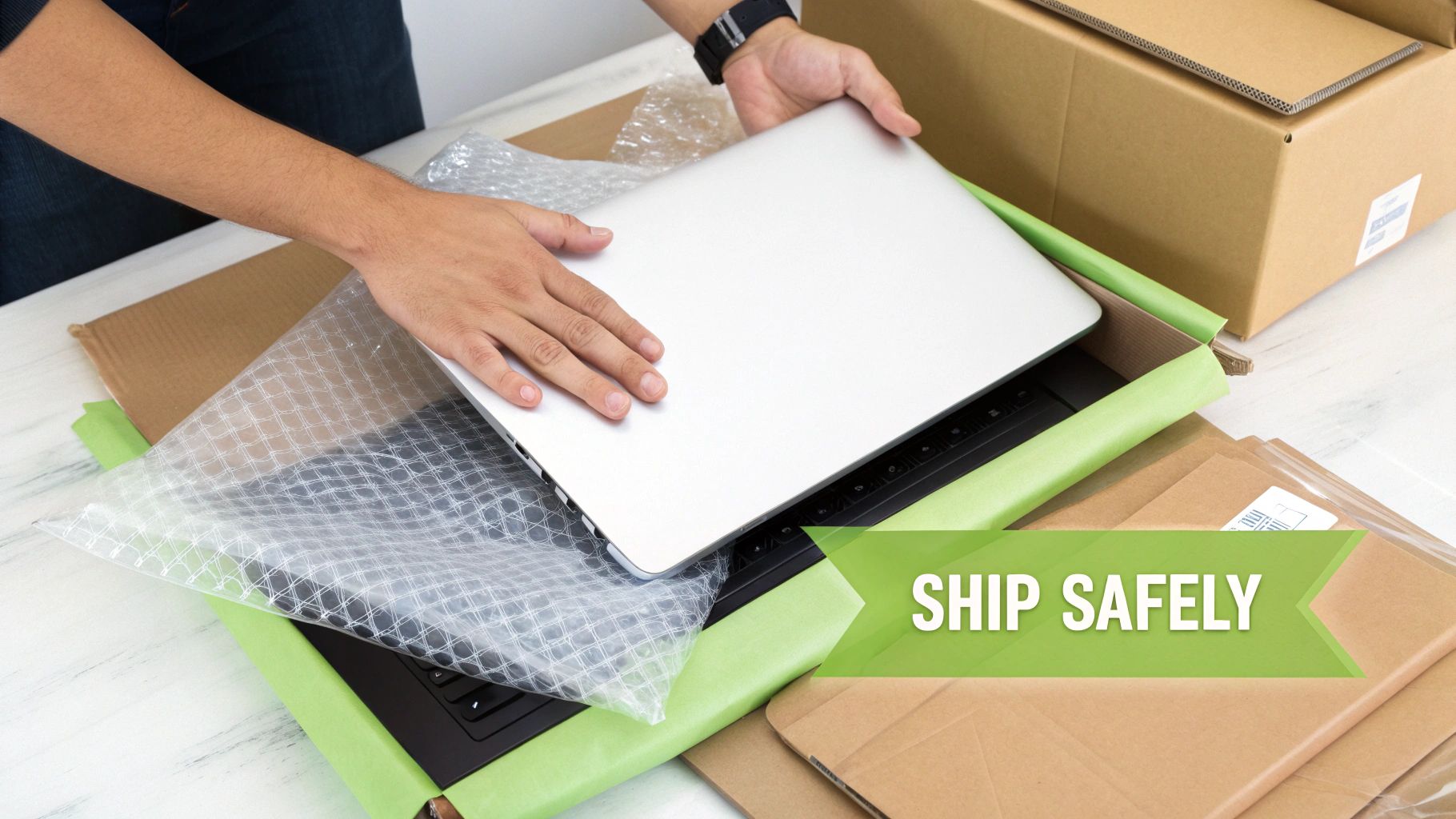
Start by wrapping the laptop in several layers of bubble wrap, paying extra attention to the corners. I always place a thin layer of foam or cardboard between the screen and the keyboard to protect the display. Put the wrapped laptop in the centre of the box, then fill all the empty space around it with more bubble wrap or packing peanuts so it can’t shift around during transit.
When you finalise the sale, finding the cheapest way to send a parcel without skimping on safety is key to protecting your profit. Always, always opt for a tracked and insured service.
A Quick Tip from Experience: If you still have the laptop's original box, use it! Place that box inside a larger, plain shipping box. It provides fantastic, form-fitting protection and instantly makes the whole package feel more professional.
Handling Local Pickups Safely
If you’ve sold your laptop locally on a platform like Facebook Marketplace or Gumtree, you can skip the shipping but still need to be careful. Meeting a stranger to exchange an expensive item requires a few common-sense safety precautions.
Always arrange to meet in a busy, public place during daylight hours. A coffee shop, the lobby of a public library, or even the car park of a large supermarket are all excellent choices. Never invite a buyer to your home or agree to meet them at their address. It’s just not worth the risk.
It’s also a good idea to bring a friend along with you. Let the buyer inspect the laptop and power it on to confirm it works as described. For payment, cash is often simplest for in-person sales, but a direct bank transfer on the spot can also work—just make sure you see the funds land in your account before you hand over the device. Following these simple rules ensures the transaction is safe and positive for everyone involved.
Still Got Questions About Selling Your Old Laptop?
It's totally normal to have a few last-minute wobbles before selling an old laptop. Even when you know what to do, questions about privacy, pricing, or just getting it right can pop up. Let's run through some of the most common worries to help you feel confident about making the sale.
Think of this as a final sanity check. A quick once-over to make sure you haven't missed a trick and can get the best possible deal with complete peace of mind.
How Can I Be Sure My Data Is Truly Gone?
This is the big one, isn't it? It’s easily the number one concern for most people, and rightly so. The good news is that a factory reset, when you do it properly, is incredibly effective at clearing out your personal information.
For the average person and the average buyer, a standard factory reset is more than enough to make your data inaccessible. If you’ve been working with seriously sensitive stuff and want that extra layer of certainty, you could look into disk-wiping software. These tools basically scribble over your data again and again, making it almost impossible to recover. But honestly, for most of us, a simple reset does the job.
The trick is to choose the right option during the reset. On Windows, you're looking for something like "Remove everything and clean the drive," and on a Mac, it's "Erase All Content and Settings." These aren't just quick wipes; they're designed to securely remove your data before you pass the device on.
Just remember the three-step combo: back up your files, sign out of absolutely everything, and then do the full factory reset. It's a powerful process that keeps your private life private.
What If My Laptop Is Broken or Really Old?
Don't just write off an old or broken laptop as junk! You'd be surprised what it might be worth, especially to specialist buyback services that are geared up for repairs and salvaging parts. A lot of the components inside can still have value.
Even in a machine that won't switch on, plenty of bits can be worth something:
- The Screen: The display might be in perfect condition, ready to be used to fix another laptop with a cracked screen.
- RAM and SSD: These are often easy to remove and can be slotted into other compatible computers, making them sought-after spares.
- The Casing: The actual body of the laptop could be used to refurbish another one that's taken a few knocks.
Even if it’s a genuine relic from a bygone era, there’s a niche market for vintage tech or for someone hunting down a specific, obscure part. The key is to be upfront and honest about its condition when you get a quote. A broken laptop is still worth something, and it's much better to sell it for parts than to let it become a high-tech paperweight. It’s a great way to make a bit of unexpected cash and do your bit for the environment.
How Much Is Shipping Going to Cost Me?
Shipping costs can definitely be a worry, especially if you're selling it yourself on a marketplace. The final price tag depends on who you send it with, how big and heavy the parcel is, and how much insurance you want to add.
As a rough guide, sending a laptop within the UK with a tracked and insured service will probably set you back somewhere between £10 and £20. It’s a small price to pay for security. I’d always recommend picking a service that gives you tracking and enough insurance to cover the full value of the laptop. It protects you and the buyer if things go wrong in transit.
Of course, many dedicated buyback companies take this problem off your hands completely. They’ll often send you a free, prepaid postage label or even book a courier to pick it up from your house. It means you don't have to think about the cost or the hassle at all, which is a big reason so many people prefer it.
Ready to skip the hassle and get a fast, fair price for your old laptop? At EXE, we make selling your tech simple and secure. Get an instant, no-obligation quote online, and we can even arrange a collection. Turn your old device into cash today. Find out how much your laptop is worth at https://www.exe.co.uk.