



Thinking about selling your MacBook Pro? Good call. It’s a great way to turn a device that’s gathering dust into cash for an upgrade, free up some desk space, or just top up your bank account. We're here to make the whole process as simple and profitable as possible for you.
Is Now a Good Time to Sell Your MacBook Pro?
If you're wondering when the right moment is to sell your MacBook Pro, the answer is pretty much always now. Deciding when to sell is just as crucial as how you go about it, and thankfully, you’ve got an Apple device on your hands.
MacBook Pros are fantastic at holding their value, which puts you in a strong position from the get-go. Unlike so many other laptops that seem to lose half their worth the moment you open the box, your MacBook Pro is still a highly desirable piece of kit. Whether you're eyeing up a new model or simply don't need it anymore, there’s a healthy market for second-hand Macs.

Getting the Most for Your Mac
The trick is finding a method that’s not just profitable, but also secure and completely painless. From working out what it's actually worth to getting the money in your account, we'll walk you through every step. Let's break down your main options:
- Private Sales: Think eBay, Gumtree, or Facebook Marketplace.
- Official Trade-ins: Trading it in directly with Apple for store credit.
- Specialist Buyers: Using a dedicated buyback company (like us!).
Each route has its own set of pros and cons, which we’ll dive into so you can make an informed choice. For a lot of people, a quick, local, and reliable service is exactly what they’re looking for.
Here in the UK, MacBook Pros command impressive resale prices. Just to give you an idea, a recent 14-inch MacBook Pro with an M4 Pro chip starts at a hefty £1,599, with the 16-inch model starting from £2,499. While that reflects Apple's premium brand, the great news for sellers is that even models a few years old can still fetch 50-70% of their original value if they're in good nick. You can get a better sense of market prices by checking out this report on UK MacBook pricing.
The best part? You don't have to guess what your Mac is worth. Get an instant, no-strings-attached quote right now by filling out our quick sales form. Let's get started.
So, What's My MacBook Pro Actually Worth?
Before you even think about selling your MacBook Pro, you need a solid idea of its real-world value. Nailing this from the start is crucial—it helps you manage your expectations and spot a genuinely good offer from a time-waster. Let’s get into what really drives the price up or down.
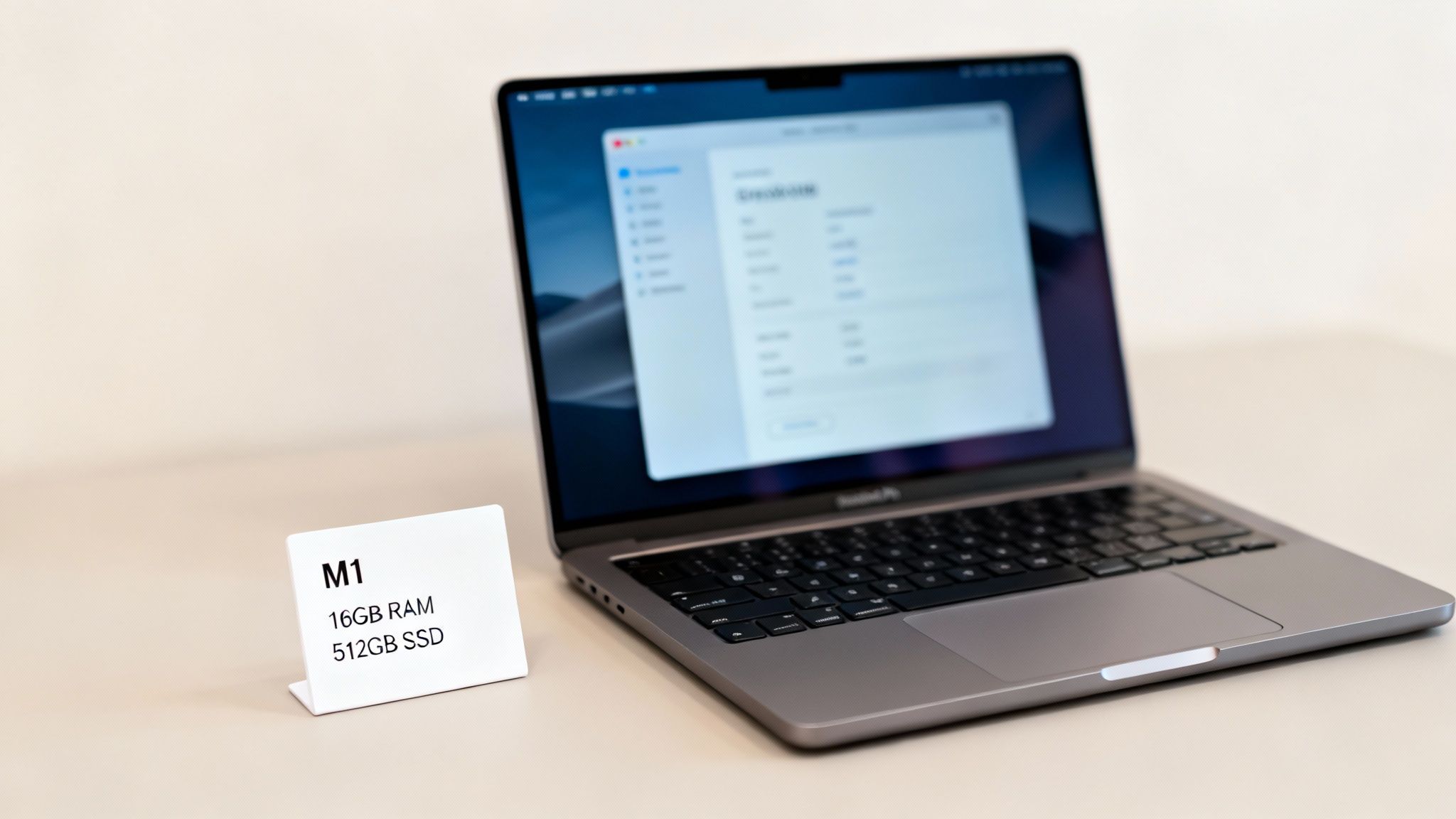
There isn’t a single fixed price for any given MacBook Pro. Its value is a blend of its core specs, how old it is, and what kind of life it’s had. It almost goes without saying, but a newer model with an Apple Silicon chip (like an M1, M2, or M3) is going to fetch a much better price than an older Intel-based machine.
Getting the Key Specs Down
To get an accurate valuation, you'll need to know the exact details of your machine. It’s easy to find. Just click the Apple logo in the top-left corner of your screen and select 'About This Mac'.
Have a pen ready and jot these down:
- Model & Year: For instance, "MacBook Pro (14-inch, 2023)".
- Processor: Is it one of the newer Apple M-series chips or an older Intel Core processor? This is a huge factor.
- Memory (RAM): Usually 8GB, 16GB, or more.
- Storage (SSD): The size of the internal drive, like 256GB, 512GB, or 1TB.
These specs are the bedrock of your MacBook’s value. A model with more RAM or a bigger SSD will always be worth more than its entry-level counterpart from the same year.
A Brutally Honest Look at Its Condition
Right, time for a frank assessment of your MacBook’s physical state. There’s no point kidding yourself here, as any buyer will check it over. At EXE, we keep our grading system simple so you know exactly where you stand, whether you're in Redhill, Merstham, or anywhere else in the UK.
- Good: The laptop might have some minor scuffs or light scratches on the casing, but the screen is flawless and everything works perfectly.
- Fair: You’ll see more obvious signs of daily use, maybe a few small dents or deeper scratches, but it’s still 100% functional.
- Broken: This is the catch-all for anything from a cracked screen and a dodgy keyboard to a battery that gives up the ghost after five minutes.
And listen, don't just chuck a broken device in a drawer and assume it's worthless. Many of its internal components can be salvaged or recycled, which means even a non-working MacBook Pro has some value. To get a better feel for your machine's current market price, it's worth checking out some of the best price comparison websites.
To give you an idea of how condition impacts the price, here's a rough guide:
Estimated MacBook Pro Resale Values by Condition
As you can see, being realistic about the cosmetic and functional state of your device is key to getting an accurate quote.
The second-hand market for MacBooks here in the UK is incredibly strong, especially for the newer models. In fact, some studies have found that Apple Silicon models like the M2 Pro (2023) can hold an impressive 65% of their original value after two years if they're in 'Good' condition. That can mean a payout of £850-£1,100, a huge improvement on the 40% annual value drop often seen with older Intel models.
Once you have these details, the hard part is over. You’re ready to get an instant, fair, and no-obligation quote by popping your MacBook's information into our simple sales form.
Getting Your MacBook Pro Ready for a Safe Sale
Before you hand over your MacBook Pro, it’s absolutely critical to make sure your personal information is completely wiped. This might sound a little intimidating, but it's actually quite simple when you know the steps. Think of it as a non-negotiable part of the process for a secure and worry-free sale.
Your first port of call should always be a full backup. Apple makes this a breeze with its built-in Time Machine feature. All you need is an external hard drive; plug it in, and Time Machine does the heavy lifting, creating a perfect copy of your system that you can easily restore on your new Mac.
With all your precious data safely tucked away, it's time to start signing out of your personal accounts. This is how you untangle the device from your digital life, making sure the new owner has a clean slate and can’t stumble upon any of your information.
Wiping Your Digital Footprint
Think of this part as digitally cleaning the house before you move out. You’ll need to sign out of a few key services to completely disconnect the MacBook from your Apple ID and head off any potential problems down the line.
Here are the big three to tackle:
- iCloud: Head into System Settings (or System Preferences on older macOS versions), click on your Apple ID, and hit 'Sign Out'. This is the master switch that removes your photos, documents, contacts, and other synced data from that specific machine.
- Find My: This one is crucial. If you leave ‘Find My’ active, the MacBook remains locked to your account, rendering it useless for the next person. Thankfully, it’s part of the iCloud sign-out process, so you’ll be prompted to disable it.
- iTunes/Music/TV: Don't forget to deauthorise the computer from your Apple account. This stops anyone else from accessing your purchased music, films, or TV shows.
A big part of this is knowing how to protect your data online by wiping your devices properly and keeping your accounts secure. This ensures your private information stays exactly that—private.
The Final Step: A Factory Reset
Once your accounts are all disconnected, you're ready for the factory reset. This is the 'scorched earth' approach that erases everything on the hard drive and reinstalls a fresh, clean version of macOS. It’s like turning the clock back to the moment you first took it out of the box. Honestly, it's the ultimate way to guarantee none of your personal data is left behind.
Peace of Mind Guaranteed: Even after you’ve done your own wipe, we add another layer of security. Every single MacBook Pro that arrives at our Redhill shop goes through its own professional, GDPR-compliant data wipe. Your privacy is our top priority.
Finally, give your MacBook Pro a quick physical clean. A simple wipe-down with a microfibre cloth to get rid of fingerprints on the screen and casing makes a world of difference. A clean, well-presented device just feels more valuable.
With that sorted, you’re all set to get a fantastic price with zero stress. You can get your free, no-obligation quote by completing our quick sales form.
So, How Should You Sell Your MacBook Pro?
Right, you’ve backed everything up and your MacBook Pro is a clean slate. Now for the big question: what’s the best way to turn it into cash? When it comes to selling your old tech, you’ve got a couple of main routes to choose from. The best one for you really boils down to how much time and hassle you’re willing to put in.
You could dive into the world of private sales, listing your MacBook on places like eBay, Gumtree, or even Facebook Marketplace. It’s true that you can sometimes squeeze a slightly higher price out of a private sale, which is always tempting. But, and it’s a big but, that path is often full of frustrations.
Before we get into the details of your options, this quick visual shows the core steps you'll need to take to get your device ready for a safe sale, no matter which path you choose.
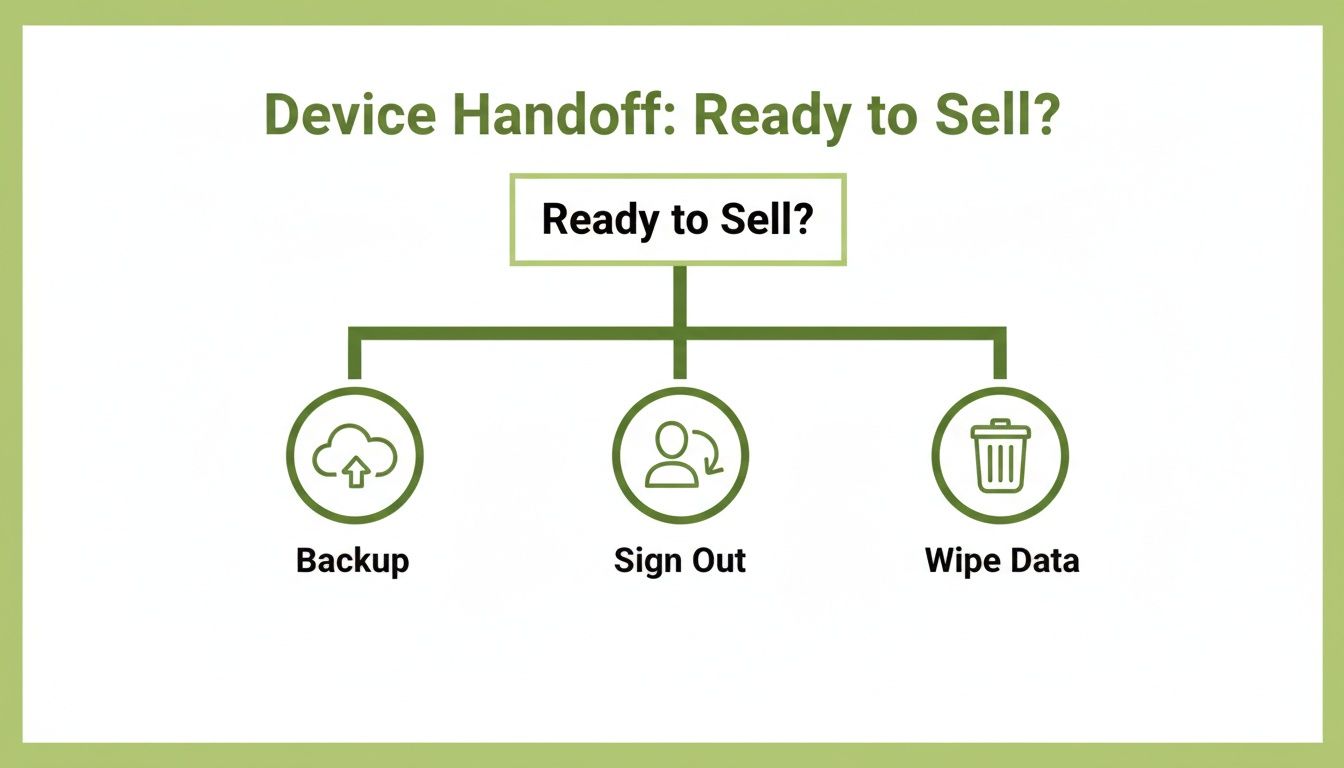
As you can see, getting your data backed up and the machine properly wiped is a non-negotiable first step for your own security.
The Gamble of Selling It Yourself
Going it alone means you’re not just a seller; you're also the photographer, the marketing department, the customer service agent, and the shipping clerk. You'll need to take great photos, write a persuasive description, and then steel yourself for the inevitable flood of messages.
From our experience, here’s what you’re often up against:
- Time-Wasters: Fielding endless questions from people who have no real intention of ever making an offer.
- Hidden Fees: Realising that platforms like eBay will take a chunky percentage of your final sale price in fees.
- Scammers: Navigating fraudulent payment claims or dealing with buyers who invent a fault after delivery to try and get a partial refund.
- Postage Nightmares: The stress of securely packaging a valuable laptop and arranging insured shipping that actually covers you if something goes wrong.
Honestly, for most people, that potential extra bit of cash just isn’t worth the headache. Think about a busy professional in Reigate or a student in Merstham – they just want a fair price without all the fuss. That’s where a specialist service really shines.
The Smart Choice: A Specialist Buyback Service
The alternative is to use a dedicated buyback service like us, right here in Redhill. The difference is night and day. We focus on three things: speed, safety, and simplicity. We've stripped out all the annoying parts of the process. You get a guaranteed price upfront, and the whole deal is done and dusted quickly and securely.
While a private sale might seem more profitable at first glance, our process often delivers far better value when you factor in your time, security, and peace of mind. With us, there are no seller fees, no time-wasters, and zero risk of scams.
We give you an instant, guaranteed payment with no hidden charges. There's no need to haggle or worry about a buyer backing out at the last minute. We evaluate your MacBook Pro, we agree on the price, and you get paid. It really is that simple. We built this service for real people who know their time is valuable and want to sell their old tech without any drama.
Selling Your MacBook Pro: Which Path Is Right for You?
Still weighing up the options? This table breaks down the key differences between selling your MacBook Pro privately versus using a specialist buyback service like EXE.
In the end, it’s a choice between the potential for a slightly higher price (minus fees) coupled with significant hassle and risk, or a guaranteed, fair price with maximum convenience and security.
Ready to see just how easy selling your MacBook Pro can be? Find out what yours is worth by getting a free, no-obligation quote on our sales form.
From Getting a Quote to Getting Paid
When you decide to sell your MacBook Pro, you want the whole thing to be fast, fair, and totally secure. We get it. We’ve spent years perfecting our process to cut out all the usual hassle, leaving you with a clear, simple journey from an initial quote to cash in your account.
It all kicks off with our online form. Just punch in the details about your MacBook Pro – its model, specs, and a quick rundown of its condition – and you’ll see an instant quote pop up. It's completely free, with no obligation and zero hidden fees. The price you see is the price you get, as long as the device is as you described it.
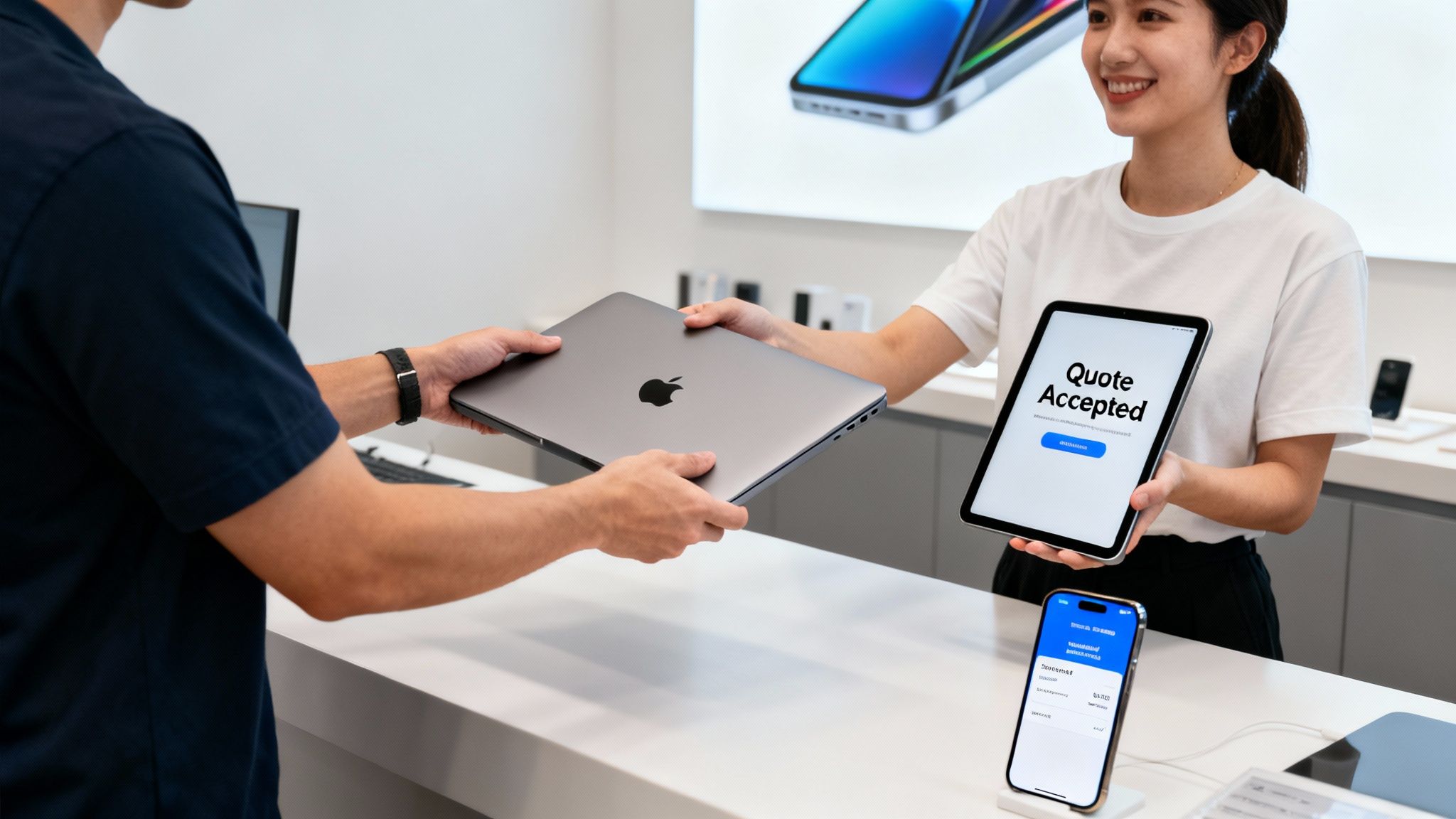
How We Get Your MacBook Pro
Happy with the offer? Great! Now, let's get the device to us. We’ve set up a few straightforward options to make sure there’s a convenient choice for everyone, whether you’re local to our Redhill shop or live further away.
- Local Collection: If you're within six miles of our Redhill shop (think Reigate, Merstham, or Horley), we can arrange to collect it right from your doorstep. Easy.
- In-Store Drop-Off: Feel like dropping by? You can bring your MacBook Pro straight to our Redhill shop. It's always nice to put a face to a name!
- Secure Postal Service: For anyone outside our local radius, we provide a fully insured and secure national postal service. It’s a completely safe way to send your MacBook from anywhere in the UK.
The Final Checks and Instant Payment
Once your MacBook Pro lands with us, our technicians give it a quick, professional evaluation to check that everything matches the details you gave us online. This isn't some long, drawn-out inspection; we're quick because we know you're waiting to get paid.
As soon as we give it the green light, we process your payment straight away via bank transfer. In fact, if you’re local to Redhill, the money often lands in your account before our collection driver has even left your street.
We’ve built our reputation on trust and fairness, with over a decade in the business and hundreds of 5-star Google reviews to show for it. We handle ID verification to keep everyone protected, ensuring the whole transaction is secure from start to finish.
A quick tip: timing your sale can really pay off. MacBook Pro resale values often spike in January, when people are looking for post-Christmas upgrades. You could see payouts up to 25% higher during this period. This is especially true for the newer Apple Silicon models like the M1 and M2, which hold their value exceptionally well compared to the older Intel versions. You can learn more about getting the best value when selling your device.
Ready to find out just how simple selling my MacBook Pro can be? Fill out our sales form now to get your free, instant quote.
Still Got Questions? Let's Get Them Answered
It's completely normal to have a few questions before selling your MacBook Pro. We get it. To help put your mind at ease, we've pulled together some of the most common queries we hear from our customers every day.
"What If My MacBook Pro Is Broken or Has a Terrible Battery?"
Don't worry, this is a question we get all the time! We absolutely buy MacBooks in all sorts of conditions. Whether it's a cracked screen, a battery that dies in minutes, or even more serious hardware faults, it still has value.
Unlike a private buyer who wants a perfect machine, we specialise in repairing and refurbishing electronics. That means we can often see value where others can't. Just be really honest about the issues when you fill out our online form, and we’ll give you a fair, competitive quote for it. It’s genuinely one of the simplest ways to get cash for a faulty Mac.
"How Can I Be Sure I'm Getting a Fair Price?"
We know this is a big one. Getting a fair price is probably your top priority when selling your MacBook Pro, and we stake our reputation on it. Our offers are consistently competitive, often beating what you'd get from big high-street chains or other online buyers.
Our whole process is built on transparency. The quote we give you is the price you get – no hidden fees or last-minute haggling, as long as the MacBook matches the description you gave us. With over a decade of experience and hundreds of 5-star Google reviews, you can see our business is built on trust and fairness.
The best way to see for yourself? Get a free, no-obligation quote. Just fill out our simple sales form and compare our offer. We’re confident you'll be pleased.
"I Don't Live Near Redhill. Can I Still Sell to You?"
Absolutely! While we love helping out our local community in Redhill and nearby towns like Merstham and Reigate with our handy collection service, we work with people across the entire UK.
We offer a fully insured and secure postal service that makes it easy to send your MacBook Pro to us from anywhere. As soon as your device arrives safely at our shop, we run our quick checks and process your instant bank transfer. It’s a fast, safe, and reliable way to sell, no matter where you are.
"I Need to Sell Several MacBooks for My Business. Can You Help?"
Yes, we can. We often work with businesses looking to upgrade their tech or clear out old equipment. We're well-equipped to handle bulk sales, offering a straightforward process and fair, transparent pricing for multiple MacBooks at once.
Crucially, we also provide a secure, GDPR-compliant data wipe for every single device. This gives you and your business complete peace of mind that all sensitive company information has been professionally and permanently destroyed. To get started, just get in touch via our sales form to discuss your business's specific needs.
Ready to turn that old MacBook Pro into cash with a company you can trust? At EXE, we make the whole thing simple, secure, and worthwhile. Get your free, instant quote now by filling out our quick sales form.