


Don't just let that old laptop with the cracked screen or dead battery gather dust in a drawer. It's not just e-waste—it's a chance to pocket some extra cash. You can sell broken laptops for parts or repair, turning what seems like junk into a welcome payout, often much more easily than you’d think.
Turn Your Broken Laptop Into Cash Today
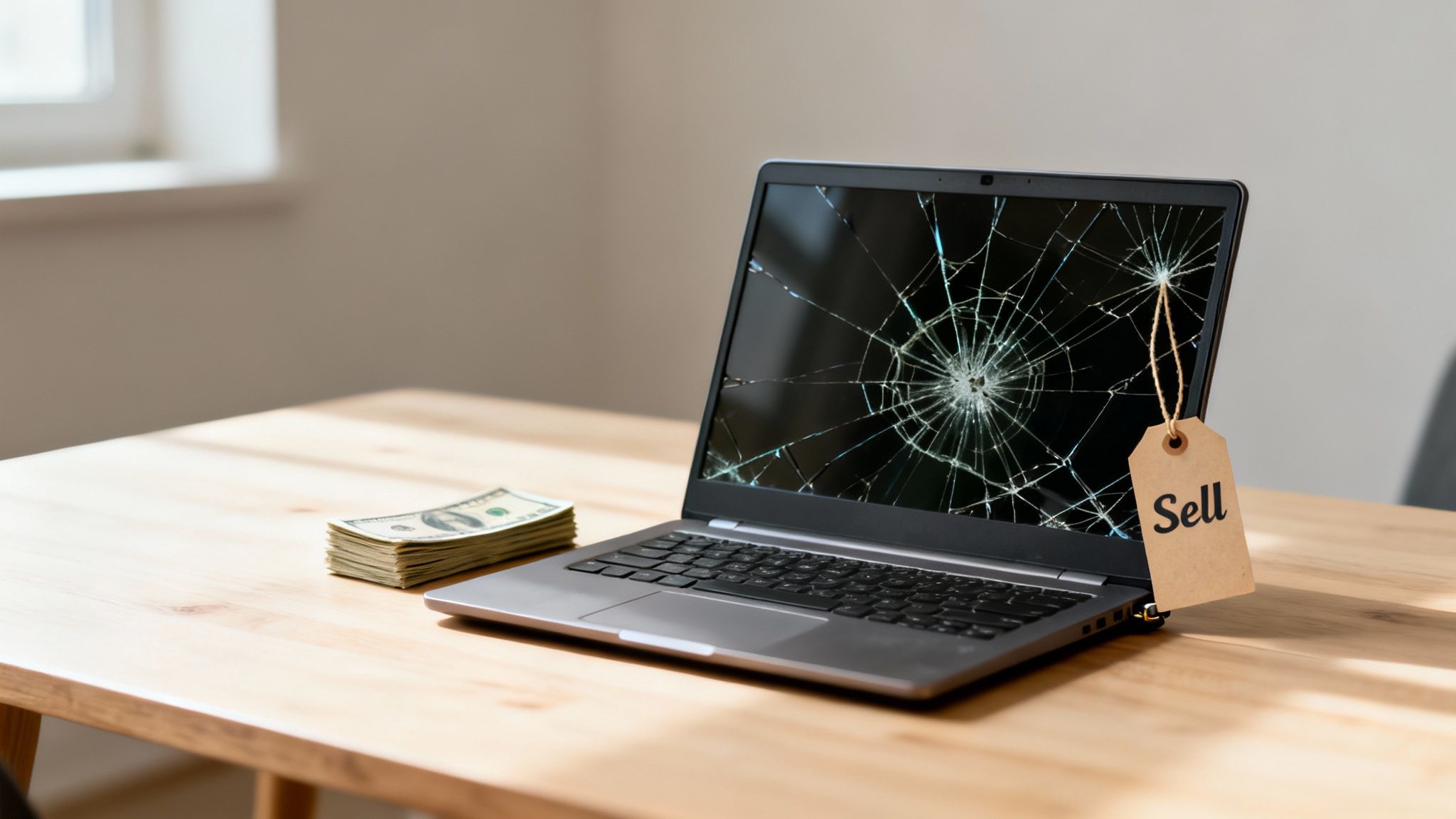
It’s a familiar story in homes across Redhill, Merstham, and Reigate: a laptop that’s seen better days, now tucked away in a cupboard. Maybe it took a tumble, the battery gave up, or it just refuses to power on anymore. Your first thought might be that it's worthless, but that couldn’t be further from the truth.
Believe it or not, there’s a thriving market for broken devices. This is driven by the huge demand for spare parts and the need for affordable, refurbished electronics. Your old machine, even in its broken state, is a treasure trove of valuable components that repair shops and specialists are actively looking for.
Why Your Broken Laptop Still Has Value
It helps to think of your laptop not as a single broken item, but as a collection of individual parts. While one component might have failed, plenty of others are likely still in perfect working order. These are the bits and pieces needed to bring other devices back to life.
- Internal Components: The motherboard, RAM modules, processor (CPU), and solid-state drive (SSD) are often the most valuable parts.
- External Parts: Even the casing, keyboard, and trackpad can be salvaged and reused.
- Growing Repair Market: The UK's repair industry is booming, which means there's a constant demand for these components.
This isn't just a niche market; it's a massive industry. The market for repairing computers and personal goods is projected to hit £7.3 billion in revenue by 2025, making it the largest repair industry in Europe by revenue. That figure, from an IBISWorld analysis, is powered by over 15,800 businesses dedicated to giving tech a second life. It’s a clear sign that your old laptop has a role to play.
Key Takeaway: A broken laptop isn't the end of its life. It's a valuable source of components for a massive repair industry, which means it still has real cash value for you.
Quick Checklist for Selling Your Broken Laptop
Before you dive in, here's a quick rundown of the essential steps. Following this checklist will help you get the best price and keep your data safe.
This process ensures that you're in control and that the sale goes smoothly from start to finish.
Making the Selling Process Simple
The thought of selling a broken item might sound like a headache, but it doesn't have to be. Many specialised companies offer IT equipment buy-back services that streamline the entire process. They know the value of individual components and can give you a fair price without you having to find a private buyer yourself.
Our goal with this guide is to walk you through every step, making it simple and profitable. We'll cover how to figure out what your device is worth, prepare it securely, and choose the best way to sell it. Whether you're in Redhill and want to pop into our shop or prefer the convenience of a postal service, we’ve got you covered.
Ready to find out what your old tech is really worth? For a quick, no-obligation quote, just fill out our simple sales form and unlock that hidden value today.
What's Your Broken Laptop Actually Worth?
So, you've got a broken laptop and you're wondering if it's worth anything more than a doorstop. The short answer is: absolutely. But figuring out its real cash value is a bit like valuing a car—the make, model, age, and specific damage all come into play.
A newer MacBook Pro with a cracked screen, for instance, is almost always going to fetch a better price than a decade-old Dell that refuses to power on. The reason is simple: the newer machine is packed with modern, valuable components that are in high demand for repairs.
What Gives a Broken Laptop Its Value?
The real treasure is often hidden inside the case. Even if the screen is a spiderweb of cracks or the battery is completely dead, the core components could be in perfect working order and ready to give another machine a new lease on life.
Here's what a specialist is really looking for:
- Processor (CPU): A sought-after chip like an Intel Core i7 or i9, or a recent Apple M-series, holds a lot of its value.
- Memory (RAM): The amount of RAM—whether it’s 8GB, 16GB, or 32GB—is a big factor in the price.
- Storage (SSD/HDD): A speedy solid-state drive (SSD) is far more desirable than an older, slower hard disk drive (HDD).
- Screen: Even a broken screen can have some value if it’s a high-resolution or specialist display, but an intact one is a huge bonus.
Cosmetic issues like scratches and dents will lower the offer, but they’re rarely deal-breakers. Even functional problems like a dodgy keyboard or a dead charging port are often a straightforward fix for a specialist repair shop like ours. This means there's still plenty of potential value locked inside.
Finding Your Laptop's Key Specs
To get an accurate quote, you'll need to do a tiny bit of detective work. This info helps us know exactly what we're dealing with, and it's usually pretty easy to find.
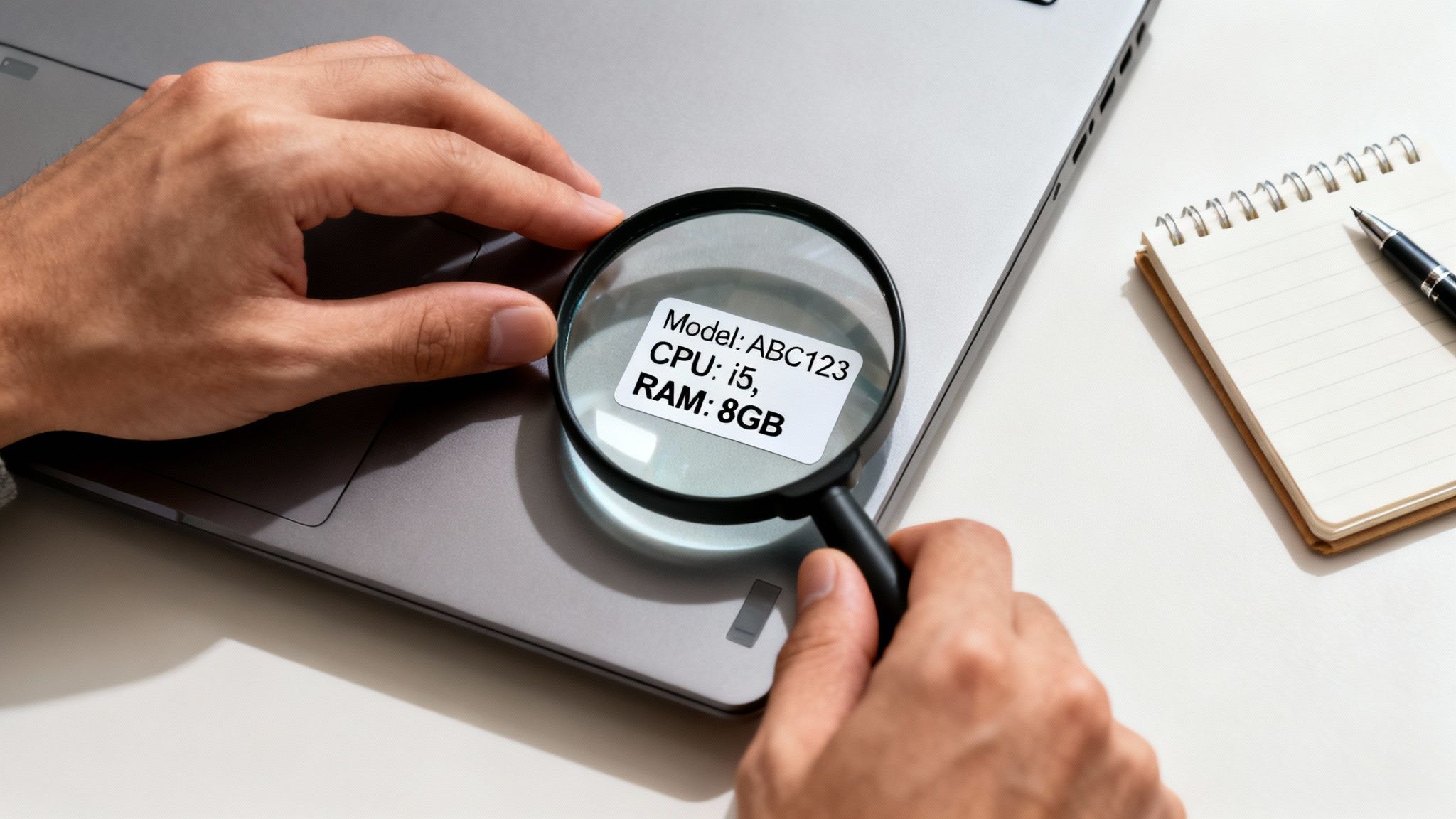
Just grab your laptop and flip it over. Most of the time, everything you need is printed on a label on the bottom casing.
Here's what to look for:
- Brand and Model Number: This is the big one. It'll be something like "Dell XPS 13 9310" or "MacBook Pro (14-inch, 2021)".
- Processor Type: This will name the main chip, like "Intel Core i5" or "AMD Ryzen 7".
- RAM Amount: Look for a number followed by GB, such as "8GB RAM".
- Storage Size: You'll see something like "256GB SSD" or "1TB HDD".
If your laptop still turns on, you can find this in the "About This Mac" section on macOS or under "System Information" on Windows. But if it's completely dead, that label on the bottom is your best friend. Having these details to hand means you can get a fair and realistic initial offer when you decide to sell your broken laptop.
This might seem like a bit of a faff, but spending five minutes finding these specs is the single best way to understand what your laptop is worth before any damage is even factored in.
What’s interesting is that the market for second-hand and broken tech is stronger than ever. The UK's repair industry is booming and expected to hit a massive £7.3 billion in revenue by 2025. For you, this means you can often get 20-50% of the laptop's original value by selling it to a repair specialist, depending on its condition. This trend is driven by people wanting affordable repairs, making the parts inside your old device more valuable than you'd think.
Ready to see what your device is worth? Now that you have the details, the next step couldn't be easier. Just pop over to our simple sales form, enter the information you've found, and we'll send you a personalised, no-obligation quote.
Getting Your Laptop Ready for a Safe Sale
Before you think about selling your broken laptop, there are a few things you absolutely must do. This isn't just about trying to get a better price; it's about protecting yourself and making sure the whole process is smooth and secure, whether you’re posting it to us or popping into our Redhill shop.
Think of it like selling a car. You wouldn't hand over the keys with personal letters and bank statements stuffed in the glove compartment, would you? The same idea applies here. Your digital life needs a thorough clear-out before that laptop goes anywhere.
First Things First: Your Digital Footprint
The most critical job is to tackle your personal data. Laptops are treasure troves of sensitive info – from saved bank details and passwords in your browser to private photos and work files. Just handing that over is a massive privacy risk.
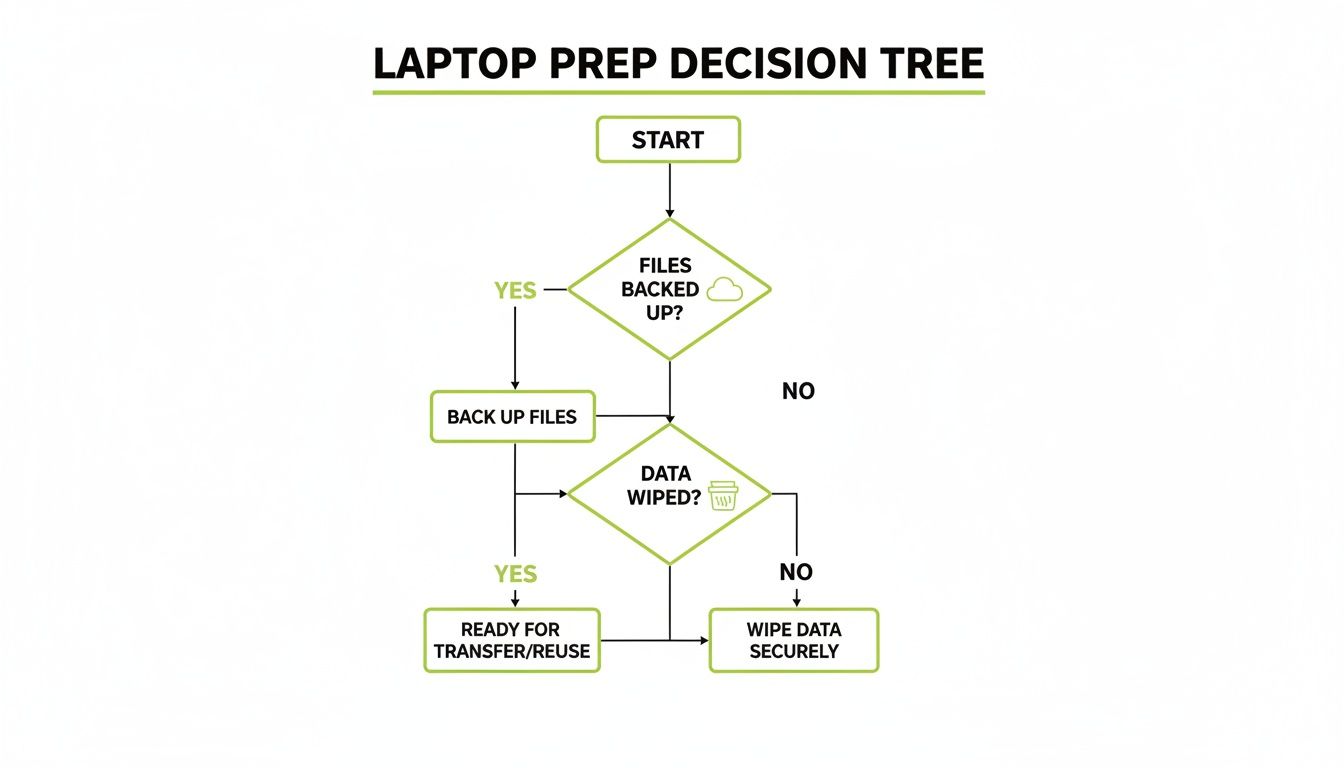
Your first move should be to back up anything you can't bear to lose. Cloud services like Google Drive, iCloud, or OneDrive are great for this, or you can just copy everything onto an external hard drive. Once you're 100% sure you've got copies of what you need, it's time to wipe the machine.
Wiping your data properly is non-negotiable. For a really detailed look at how to do this securely, there are some excellent resources on safe data destruction before selling your PC that will give you total peace of mind.
How to Wipe Your Hard Drive Properly
Heads up: just dragging files to the recycling bin does absolutely nothing. For real security, you need to perform a full factory reset. This basically returns the laptop to the state it was in when it first came out of the box.
- On a Windows laptop? The "Reset this PC" feature is what you need. Head into Settings, then 'Update & Security', and finally 'Recovery'. Crucially, you must select the "Remove everything" option. This is the one that scrubs your personal data for good.
- Got a MacBook? You’ll be using Disk Utility to erase the hard drive. After that, you'll reinstall a fresh version of macOS. The exact steps can vary a tiny bit depending on which version you’re running, but it’s a secure and fairly straightforward process.
What if your laptop is so busted it won’t even switch on? Don't panic. If you bring it to us, secure data destruction is a standard part of our process. We handle it for you.
Don't Forget to Log Out of Everything
Once the drive is wiped, there's one last digital loose end. You have to make sure the laptop is no longer tied to your personal cloud accounts. If you don't, it can cause all sorts of access problems for both you and the next owner.
Make sure you've signed out of these key services:
- iCloud (for MacBooks)
- Your Microsoft Account (for Windows)
- Your Google Account
- Any other big ones like Adobe Creative Cloud or Dropbox
It's a two-minute job that can save a world of hassle later on.
A Quick Clean-Up Goes a Long Way
Finally, let's talk about the physical stuff. We buy broken laptops for a living, so we know they won't be pristine. But giving it a quick once-over can make a surprising difference. A gentle wipe of the screen and keyboard shows it’s been looked after.
Also, if you can find the original charger and any other bits and bobs that came with it, gather them up. It’s not a deal-breaker if you can’t, but having the official charger can often add a little bit more to your final offer. It's a welcome bonus.
If you're unsure about any of these steps, just ask! Our team is always happy to help. Fill in our quick sales form, and we’ll guide you through it.
So, Where's the Best Place to Sell Your Broken Laptop?
You’ve got your laptop prepped and ready to go. Now for the big decision: where do you actually sell it? Broadly, you have two main options. You could dive into the world of private selling on sites like Facebook Marketplace or Gumtree, or you could take the simpler, more direct route of selling to a specialist repair business.
Let’s be honest, both have their place. The best path for you really boils down to what you value most – getting the absolute top price, or having a quick, hassle-free experience.
Selling Privately vs. to a Specialist Buyer
The idea of a private sale can be tempting. You cut out the middleman, and you might squeeze a few extra quid out of the deal. But it’s not always as straightforward as it seems. Be prepared to become a part-time marketer and negotiator. You’ll be taking photos, writing detailed descriptions (and being brutally honest about the faults), and then fielding a flood of messages.
This often means dealing with endless haggling, people who say they’re coming to collect and never show up, and the general faff of arranging to meet strangers. It can be a real time-sink.
On the other hand, selling to a trusted, local business offers a completely different vibe, especially for folks in and around the Redhill area. The whole process is built around being fast, secure, and convenient. No negotiating with ten different people, no worrying about dodgy payments. You just get a clear, professional service from someone who does this day in, day out.
Here at EXE, we've refined our process to be as painless as possible. It starts with an online quote, giving you a solid idea of what your laptop is worth from the get-go. Then, it's up to you. You can post the device to us, or for the most transparent experience, pop into our shop right here in Redhill. This is a really popular option for our customers from nearby towns like Merstham and Reigate who just want a quick, face-to-face transaction and to get it all sorted in one go.
To make the choice clearer, here’s a quick breakdown of the two main selling routes.
Comparing Your Selling Options
While a private sale might net you a little more cash if you're lucky, the convenience and security of using a specialist are hard to beat for most people.
The On-Site Evaluation: What to Expect
When you bring your laptop to us, the evaluation isn't some mysterious ritual that happens in a back room. We do it right there with you.
One of our expert technicians will give your laptop a quick, transparent assessment, confirming its condition and the specific faults you've described. We'll check those key components we talked about earlier—the screen, motherboard, RAM, and storage—to finalise our offer. This hands-on approach means you get a firm, fair price on the spot, and we'll walk you through exactly how we arrived at that figure.
Selling to a specialist removes the guesswork. You get an expert valuation from a trusted local business and immediate payment, without the headache of private listings and time-wasters.
The demand for broken but fixable devices is absolutely booming right now. The UK's refurbished laptop market is set to grow, especially with the end-of-support for Windows 10 looming in October 2025. This deadline will push a massive wave of older enterprise laptops into the second-hand market, creating a huge need for spare parts to keep them going.
By selling to one of the 15,887 repair businesses in the UK, like us, you're also doing something genuinely good for the planet. Your old device becomes a source of vital components, feeding into a circular economy where remanufacturers can reuse up to 99% of materials. You can read more about this growing market in this detailed industry report.
Ultimately, if you have the time and patience to navigate a private sale, it can work. But for a guaranteed, secure, and seriously fast way to turn that broken laptop into cash, selling to a specialist is the winning choice for most.
Ready to see what your device is worth without any of the hassle?
Fill out our quick sales form now for a fast, fair quote!
Watch Out for These Common Selling Mistakes
When you're looking to sell a broken laptop, knowing what not to do is just as important as knowing what to do. A few simple slip-ups can turn a straightforward sale into a frustrating mess, costing you money or, worse, exposing your personal information. We’ve seen it all over the years at our Redhill shop, so let me walk you through the traps to avoid.
The biggest one? Having unrealistic expectations about the price. It's totally understandable to remember the hefty price tag when you first bought it, but a broken laptop's value is all about its salvageable parts in today's market.
Another classic error is not wiping your data properly. This isn't just a small oversight; it's a massive security risk. Let's break down these common mistakes so you can sell your laptop with complete peace of mind.
Overvaluing Your Broken Laptop
It's so easy to look at your once top-of-the-range laptop and think it's still worth a fortune, even with a smashed screen. The reality is that its value is based purely on the current demand for its working components. A processor that was a powerhouse five years ago might be pretty standard now, which naturally brings its value down.
Think of it from a buyer's perspective: they're weighing up the cost of repair against buying a similar refurbished model. For instance, if your laptop needs a £150 screen replacement, but a fully working second-hand version of the same model sells for £200, you can see why the offer for your broken one won't be very high.
The best way to sidestep this is to be realistic from the get-go. Get a professional valuation to set a solid baseline. It's free, there's no obligation, and it gives you a price based on real-world data, not just sentimental value.
You can get an honest quote in minutes by filling in our simple sales form.
Not Being Completely Honest About the Faults
Tempted to conveniently "forget" to mention that the trackpad is a bit dodgy or the battery life is shot? I’d strongly advise against it. Being upfront is key to a smooth sale. Any reputable buyer, whether it's us at EXE or another specialist, is going to do a full inspection.
When we find faults that weren't mentioned, the original offer has to be revised downwards. It can feel like a last-minute price drop, but it's just an adjustment based on the new information. If you're honest about every little issue, the quote you get will be far more accurate, and there won't be any awkward surprises later.
Our Pro Tip: Honesty really is the best policy here. A full, detailed description means you get a fair and realistic quote from the start, avoiding disappointment during the final check.
Falling for an Offer That’s ‘Too Good to Be True’
If you’re scrolling through online marketplaces, you might stumble upon offers that seem amazingly generous for a broken machine. Be wary. We’ve had customers from Merstham and the surrounding areas tell us about getting a fantastic online quote, only for it to be slashed dramatically once they sent their laptop in.
It’s a classic tactic used by some less-than-scrupulous companies. They hook you with a high price, knowing that once you've gone to the effort of packaging and posting your device, you're more likely to just accept a much lower offer to get it over with. A trustworthy buyer will give you a quote that's fair and genuinely reflects the final price, provided your description is accurate.
Forgetting to Secure Your Personal Data
This is, without a doubt, the most critical mistake you can make. I know we've covered how to wipe your data, but it's so important it bears repeating. Just dragging files to the trash or doing a quick format isn't always enough to permanently erase everything.
Forgetting to perform a full factory reset or sign out of your cloud accounts can leave a back door open to your entire digital life. It is your responsibility to make sure every last bit of personal data is scrubbed clean before that laptop leaves your possession.
If the laptop is completely dead and you can't do it yourself, make sure you choose a service that guarantees secure data destruction as part of their process.
Avoiding these common pitfalls will make the whole experience of selling your broken laptop so much easier. For a process that's fair, transparent, and secure from the start, get a no-obligation quote from us today by using our sales form.
Your Questions Answered: Selling a Broken Laptop
We get it. The idea of selling something that's broken can feel a bit strange, and it naturally brings up a lot of questions. Over the years at our Redhill shop, we've heard just about all of them. So, we've put together answers to the most common queries we hear from people just like you.
This is all about clearing up any lingering doubts. We want you to feel completely confident and in the loop before you take the next step.
How Much Can I Really Get for a Completely Dead Laptop?
This is usually the first thing people ask: is a laptop that won't even turn on actually worth anything? The answer is a definite yes. Even a completely dead machine is a collection of components, and many of those parts can still be valuable.
The final price really comes down to the laptop's model, age, and what's inside. Things like an intact screen (even if the laptop won't power it up), the RAM sticks, the SSD, and even the metal case itself can often be salvaged and reused. For perspective, a five-year-old mid-range laptop might only fetch £15-£30 for its parts. But a recent high-end model, like a newer MacBook or Dell XPS, could still be worth £100 or more even in a non-working state.
Even if you think it's just e-waste, let an expert have the final say. The internal parts of newer or more powerful laptops often hold significant value, regardless of whether the device powers on.
The only way to know for sure what your specific device is worth is to get a personalised estimate. You can do this in a couple of minutes by filling out our simple sales form. It’s free, and there’s absolutely no obligation.
Is It Safe to Sell a Laptop With My Personal Files on It?
Your security is paramount, so this is a fantastic question. Yes, it's perfectly safe to sell a laptop that once held your personal files, but only if you take the correct steps first. It’s your responsibility to back up anything you want to keep and then securely wipe your data before the device leaves your hands.
We always recommend performing a full factory reset. On a Windows machine, you can use the 'Reset this PC' feature—just be sure to select the option to "Remove everything". For macOS, you'll use Disk Utility to erase the drive. If your laptop is so broken that it won't even turn on to let you do this, don't worry. As part of our service, we provide secure, GDPR-compliant data destruction to give you complete peace of mind.
What Happens if Your Final Offer Is Less Than the Online Quote?
This is another great point, and something we believe in being completely transparent about. Our initial online quotes are based on the information you give us about your laptop's condition. The final, confirmed offer comes after a hands-on physical inspection.
Occasionally, our technicians might find an issue you weren't aware of, like a previously undetected liquid spill on the motherboard or a faulty port. If that happens, the value may need to be adjusted. We will always explain exactly why the price has changed and show you the issue. You are never, ever obligated to accept the revised offer. If you're not happy for any reason, we'll simply return your laptop to you at no cost. This is a key reason why many customers from Redhill, Merstham, and the surrounding towns prefer to pop into our shop for an immediate, confirmed price.
Do I Need the Original Charger and Box to Sell My Laptop?
While they aren't essential, they are definitely a welcome bonus! Including the original charger, and the box if you still have it, can nudge your final offer up a little. The charger, in particular, is a necessary bit of kit for the next user, so having the official one adds a bit of value.
However, if you've lost them over the years, please don't let that stop you. We will still happily buy your laptop without them. Just make sure to mention what accessories you have when you complete the sales form. It all helps us give you the most accurate quote possible right from the start.
Ready to turn that broken tech into cash? At EXE, we make the process simple, secure, and rewarding. Get your free, no-obligation quote today by filling out our quick sales form.