


Ever wondered what happens to your company's laptops, phones, and servers after they’re unboxed? They all go on a journey, and that entire path, from day one to their final farewell, is what we call IT Asset Lifecycle Management.
Think of it as a friendly roadmap for every piece of tech your business owns. It’s all about making sure you get the absolute most out of every device you buy.
What Is IT Asset Lifecycle Management?
At its heart, IT asset lifecycle management is the simple process of keeping track of your technology from the moment you buy it to the day you get rid of it. It’s about knowing exactly what tech you have, where it is, and what to do with it at every stage of its life.
This isn’t just about keeping boring lists. It’s a smart way to slash unnecessary costs and seriously tighten up your data security. For any company, whether you're a small startup in Redhill or a growing business in Merstham, getting a grip on this is a real game-changer. It stops you from wasting money on gear you don't need and lets you sleep a little easier knowing sensitive data isn't lingering on old devices.
Why It Matters More Than Ever
Years ago, keeping tabs on a few office PCs might have been simple. But today, with remote teams, countless mobile devices, and a web of software licences, it’s a whole different story. Without a solid plan, it's incredibly easy for things to get lost, opening the door to some major risks.
An effective IT asset lifecycle management strategy is no longer a 'nice-to-have'—it's a fundamental part of modern business security and financial health. It transforms technology from a simple expense into a managed, valuable asset.
This kind of smart thinking is catching on across the UK for a good reason. The market for IT asset management software is expected to hit USD 3.6 billion by 2031. This boom is driven by businesses needing to get a handle on their complex tech and stay compliant with rules like GDPR. You can dive deeper into this trend by checking out the full market analysis on mobilityforesights.com.
The Core Benefits for Your Business
Taking a lifecycle approach isn't just about being organised; it brings some serious advantages that help your business run smoother and safer. It finally gives you clear answers to the tough questions every business owner faces about their tech.
Here’s what you stand to gain:
- Tighter Cost Control: You can stop accidentally buying duplicate equipment and quit paying for software licences on devices that aren't even being used anymore.
- Seriously Better Security: A proper plan guarantees that when a device is retired, every last bit of sensitive company and customer data is wiped clean, protecting you from nasty data breaches.
- A Boost in Efficiency: When you know the age and health of your tech, you can plan for upgrades before they fail. No more surprise breakdowns that bring work to a grinding halt.
- Finding Hidden Value: Instead of paying someone to haul away your old gear, you can actually turn retired or even broken tech into cash through a reliable buyback service.
Ultimately, IT asset lifecycle management gives you a clear, structured framework for all your technology. It's the difference between chaos and control. It empowers you to make smart, informed decisions that protect your budget and your data.
If you're curious to see how much value might be hiding in your old tech, you can get a quick, no-obligation quote by filling out our simple sales form.
The Complete Journey of a Company Laptop
To really get our heads around IT asset lifecycle management, let’s follow the journey of a brand-new laptop, from the moment it lands in your office to its final farewell. Think of it like a new team member; it has a planned career path, adding value at every stage, until it’s time for a well-deserved retirement. This structured approach is all about getting the most out of your investment while keeping your business secure.
Each stage has its own unique focus. Early on, it’s all about getting the right tool for the job. Later, the priority shifts to keeping it running smoothly and securely. And at the end, the most critical part is making sure it leaves your company without taking any of your sensitive data with it.
Stage 1: Procurement
The story starts long before the laptop is even unboxed. The procurement phase is where you make the big strategic decisions. It's not just about hunting for the cheapest model; it’s about choosing the right one that fits the needs of your employee and your business.
This means carefully weighing up performance, durability, and warranty against the price tag. For a business in Redhill or the surrounding towns like Merstham, getting a great deal on a fleet of new devices can make a huge difference to the annual budget. This first step really does set the stage for the asset's entire life with you.
Stage 2: Deployment
Once that perfect laptop arrives, it’s time for deployment. This is where we get it set up and ready for action. It’s so much more than just handing over a box; it’s about configuring the device to be secure and productive from day one.
Typically, this involves:
- Installing all the necessary business software and applications.
- Setting up crucial security features like antivirus, firewalls, and data encryption.
- Adding the device to your company network and, importantly, your asset register.
- Assigning it to a specific employee and logging who has what.
A smooth deployment process means your team member can get straight to work, and you have a clear record of the asset from the get-go.
Stage 3: Maintenance and Monitoring
For the next few years, the laptop will live in the maintenance and monitoring phase. This is the longest and most active part of its life, where it’s being used day in, day out. The main goal here is simple: keep it running in peak condition and protect it from any threats.
Regular software updates, security patches, and the odd hardware repair are all part of this stage. At the same time, monitoring tools keep a watchful eye on its performance and security status, flagging any potential problems before they can cause frustrating downtime. Proactive maintenance is what extends your laptop's useful life and helps you avoid those costly emergency repairs.
The maintenance phase isn't just about fixing things when they break. It’s about maximising the return on your initial investment by keeping the asset productive and secure for as long as possible.
Stage 4: Refresh and Retirement
As technology moves on, even the best laptop eventually starts to feel a bit slow or can't support the latest software. This is the refresh stage, a clear signal that it's time to start planning for an upgrade. Trying to squeeze a bit more life out of an ageing device can actually hurt productivity and open up security holes.
Once a replacement is in place, the old laptop officially enters retirement. This final step is arguably the most critical for your business's security. It's not about sticking it in a storeroom in a Merstham office and forgetting about it. That old device is a ticking time bomb, packed with sensitive company and client data.
This process flow shows the key benefits a structured IT asset management process delivers to your business.
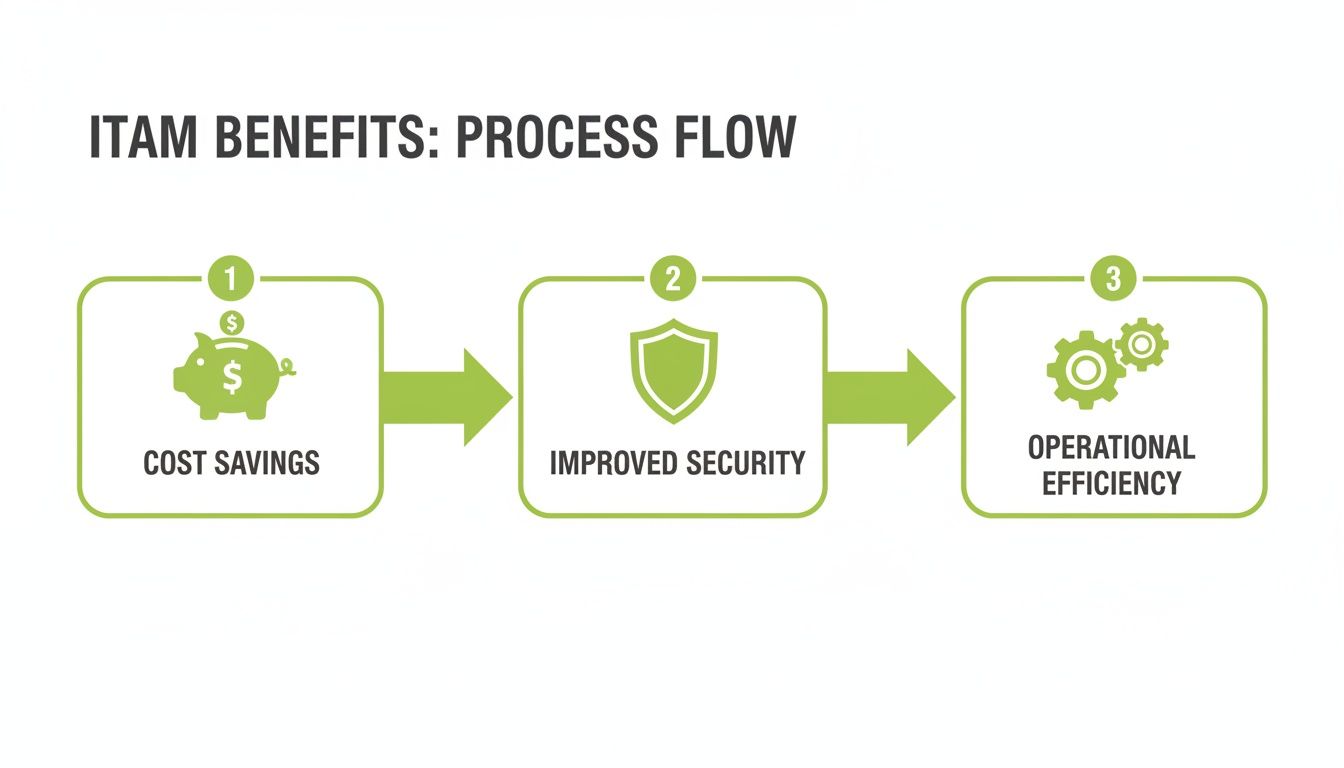
As you can see, managing your tech properly from start to finish leads directly to better cost control, stronger data security, and smoother operations.
The retirement stage absolutely must involve securely wiping every last trace of information, a process that goes way beyond a simple factory reset. This is where having a trusted partner is essential. They ensure this final step is handled safely and can even be profitable. Instead of becoming a liability, that old laptop can be securely processed and turned back into cash.
To see what your old tech might be worth, you can get a free, no-obligation quote by filling out our simple sales form.
The Hidden Risks of Neglecting Old Tech
Ignoring the final stage of your tech’s life is a bit like leaving your office door unlocked after everyone has gone home. That storeroom cupboard, packed with old laptops, tablets, and phones, isn't just a messy collection of e-waste—it’s a potential goldmine for data thieves.
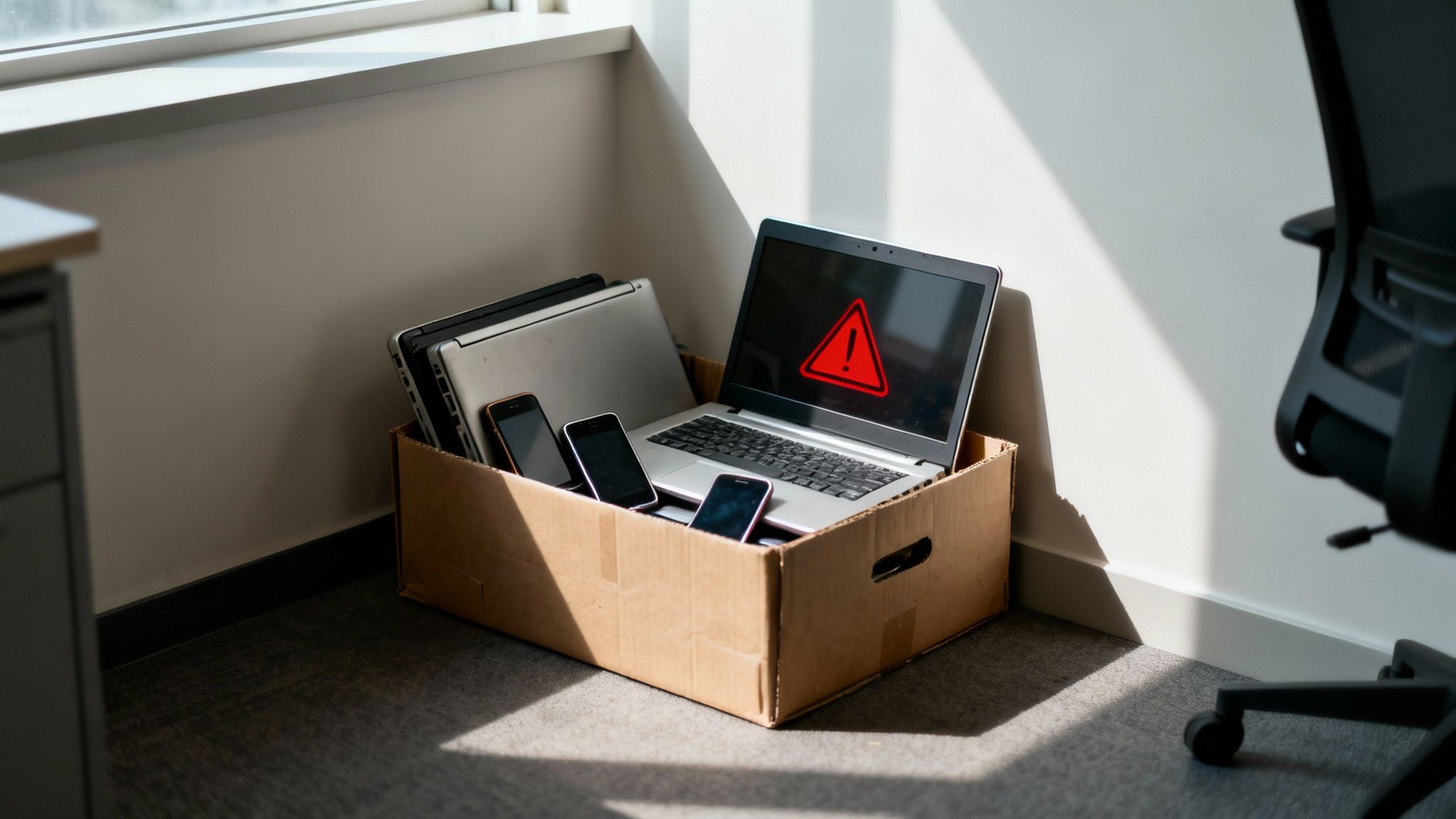
Each of those retired devices can hold a shocking amount of sensitive information. We’re talking about everything from confidential customer details and private financial records to internal company strategies. A single forgotten hard drive could be all it takes to trigger a serious data breach.
The Real Cost of a Data Breach
For any business, especially those in and around Redhill, the consequences of a data leak can be catastrophic. A breach doesn't just damage your reputation; it can lead to devastating fines under GDPR regulations, shattering the trust you've painstakingly built with your clients.
Furthermore, neglecting IT assets can lead to severe data breaches and significant privacy issues. You can delve into privacy considerations to fully understand the legal and reputational stakes involved. Protecting this data isn’t just good practice—it's a legal requirement.
The security nightmare is just one part of the problem. There's also a significant, and often invisible, financial drain that comes from poor asset tracking. It's a quiet budget killer that many businesses don't even realise is happening.
The Problem of Ghost Assets
When you lose track of old equipment, you create what are known as ‘ghost assets’. These are devices that are still on your books but are nowhere to be found. They might be sitting in a forgotten box in your Merstham office or may have been disposed of improperly.
The issue is that you could still be paying for them. This often happens in a few key ways:
- Software Licences: You might be paying for annual software subscriptions on laptops that haven't been switched on in years.
- Insurance Policies: Company-wide insurance policies may include coverage for assets that no longer exist, needlessly inflating your premiums.
- Support Contracts: Ongoing maintenance or support agreements for retired servers can continue costing you money long after they're taken offline.
Forgetting about old tech is more than just a security risk; it's a silent financial leak. Ghost assets and inefficient spending can drain a company's resources without anyone noticing until it's too late.
These costs add up quickly, representing a slow but steady drain on your finances. A proper IT asset lifecycle management programme eliminates these ghost assets, ensuring you only pay for the technology you're actively using.
The High Price of Poor Visibility
This lack of oversight is a widespread challenge. Many UK enterprises struggle with visibility, with only 43% reporting complete confidence in their IT estate oversight. This gap often leads to 'shadow IT'—unauthorised devices and software—which costs businesses an estimated £2.5 billion in compliance fines and lost efficiency.
What’s more, neglecting proper data sanitisation during the retirement phase can increase the risk of a data breach by 15%. You can explore more about these industry challenges and learn more about ITAM research findings.
Without a clear plan, you also fall into the trap of wasteful spending. It’s easy to approve the purchase of new equipment when perfectly good, underutilised devices are sitting idle in a local storeroom.
A solid ITAM strategy is therefore non-negotiable. It protects your business from crippling data breaches and stops the financial bleeding caused by forgotten tech. If you’re ready to secure your assets and recover their hidden value, get in touch via our sales form.
How to Turn Old Tech Into New Opportunities
That storeroom full of dusty laptops and old office phones isn't just taking up space; it's a hidden asset waiting to be discovered. The final phase of IT asset lifecycle management is your chance to move beyond simply throwing things away and start recovering real, tangible value for your business.

Instead of paying a company to haul away what you think is e-waste, you can work with a buyback specialist to turn those devices directly into cash. This simple switch flips a cost into a brand-new revenue stream, giving your bottom line a healthy boost.
From E-Waste to Extra Cash
This is exactly where EXE helps businesses and individuals across Redhill, Merstham, and the wider Surrey area. We offer a straightforward, secure, and profitable way to get paid for your unwanted tech. Whether it's an entire fleet of corporate laptops or just a handful of old office smartphones, we make the process painless.
We even buy broken tablets and faulty devices, as there’s often still value left in their components. Our whole process is built for your convenience, and we can arrange office collections to save you the hassle. You'll always get a transparent, competitive quote that often beats high-street prices, ensuring you get a fair deal for your assets.
This strategic approach to asset retirement is more than just good financial sense. A structured IT asset lifecycle management programme can lead to at least a 5% improvement in capital efficiency. With UK remote work booming by 300% since 2021, IT fleets are under more strain than ever. Retirement mishaps and unmonetised tech cost UK businesses an estimated £5-7 billion every single year. A smart disposal strategy isn't just nice to have; it's crucial.
Security and Sustainability: The Final Steps
Perhaps the most critical part of this final stage is guaranteeing your data is secure. Every single device that comes through our doors undergoes certified, GDPR-compliant data wiping. This gives you complete confidence and, more importantly, documented proof that your sensitive company information has been professionally and permanently destroyed.
You're not just clearing out clutter; you're actively protecting your business from the nightmare of a potential data breach.
Turning old technology into cash isn’t just about the money. It's about closing the loop on your asset’s lifecycle in a way that is secure, environmentally responsible, and financially smart.
This final step is a key piece of a much wider clear-out strategy. For a complete approach to managing the end-of-life of all your office assets, from tech to furniture, it’s worth looking into professional office decommissioning services. They can help ensure every aspect of an office clear-out is handled correctly.
Disposal Options: What's Best for Your Old Tech?
When it’s time to say goodbye to your tech, you have a few different options. But be warned, not all paths lead to the same outcome. Here’s a quick look at what you can expect from the most common disposal methods.
As you can see, working with a buyback specialist like EXE offers the best possible outcome all around. It’s the only option that is financially positive, highly secure, and environmentally responsible. It’s a win-win-win.
So, you’re ready to get a handle on your company’s tech without it turning into a massive headache? Good. Getting started with IT asset lifecycle management is genuinely more straightforward than it sounds. You don’t need to rush out and buy complex software or hire a new team right away. A few simple, practical steps can make a world of difference.
This plan is designed specifically for small and medium-sized businesses, like those you’d find in Redhill or Merstham, that just want a solid foundation for managing their technology properly. The key is to start small and stay consistent.
Step 1: Start with a Simple Inventory
First things first: you need to know what you’ve actually got. It's impossible to manage what you can't see. Forget about fancy systems for now—a basic spreadsheet is your best friend at this stage.
Just create a simple document with these key columns:
- Asset Type: What is it? A laptop, phone, monitor?
- Serial Number: The unique code that identifies that specific bit of kit.
- Assigned User: Who has it right now?
- Purchase Date: When did you buy it?
- Status: Is it in use, in storage, or waiting to be retired?
Knocking together this list gives you instant clarity. You’ll immediately see where your tech is and which devices are getting a bit old. This simple bit of admin is the absolute bedrock of a good ITAM strategy.
Step 2: Create Clear and Simple Policies
Once you know what’s in your inventory, it’s time to set some ground rules. Creating clear policies for how you handle your tech just gets everyone on the same page. We’re not talking about a hundred-page legal document here; a few simple guidelines are all you need.
Try to answer these basic questions:
- Getting new kit: How does a team member request a new device?
- Fixing things: What’s the process for repairs? Who do they call if their laptop breaks?
- Saying goodbye: What’s the official plan when a device is no longer needed?
Writing these simple rules down helps smooth out day-to-day operations and closes up potential security holes. For instance, a clear retirement policy means old laptops stuffed with sensitive data don't get left forgotten in a dusty cupboard.
The aim here isn’t to create a mountain of red tape. It’s about setting up simple, repeatable habits that protect your business from needless risks and costs.
Step 3: Formalise Your End-of-Life Plan
This last step is arguably the most important. You need to decide exactly what happens when a device reaches the end of its journey with you. This is where you can dodge major security bullets and even open up a new source of revenue. Don't wait until you're staring at a mountain of old electronics; get your plan sorted now.
This really comes down to finding a partner you can trust for secure disposal and getting some value back. A specialist buyback company can handle the most critical task for you: GDPR-compliant data wiping. They'll make sure every last scrap of confidential information is properly destroyed, giving you the certificates to prove it.
By figuring this out ahead of time, you transform a potential problem into an actual asset. Instead of paying someone to take away your e-waste, you get paid for your old equipment.
Getting this sorted is easy. To see what your old or even broken tech might be worth, you can get a free, no-obligation quote today. Just fill out our quick online form, and we'll handle the rest.
Got Questions About IT Asset Management?
Even with a solid plan, it’s normal to have questions when you dive into the world of IT asset management. Let's walk through some of the most common queries we hear from businesses just like yours, in simple, straightforward language.
Is IT Asset Lifecycle Management Only for Big Companies?
Not at all. It’s easy to think this is just for huge corporations, but the principles are just as important for small and medium-sized businesses. For a smaller company, losing track of just a couple of key assets can hit much harder.
Think about it. If you're a small business in Redhill and two high-spec laptops go missing, that’s a serious chunk of your budget gone, and a major security headache. Good management ensures you squeeze every bit of value from your tech budget and keeps your sensitive data from walking out the door.
A simple inventory spreadsheet and a trusted disposal partner is the perfect foundation for any small business. You don't need a complex system to reap the biggest rewards of ITAM.
The key is to start small. A basic, common-sense process gives you the control and security you need without burying your team in extra work.
How Can I Be 100% Sure My Data Is Gone for Good?
This is probably the most critical question of all. There’s a dangerous myth that deleting files or hitting 'factory reset' wipes a device clean. It doesn't. With the right software, that data can often be recovered.
Professional data wiping is a different beast entirely. It uses certified software to systematically overwrite a device's storage drive, multiple times, with meaningless data. This process effectively shreds the original information, making it completely and permanently unrecoverable.
Here at EXE, we run this rigorous, GDPR-compliant data destruction process on every single device. You get documented proof that your sensitive company and customer information is gone forever, giving you total peace of mind.
What Do I Do with Broken or Dead Devices?
It’s tempting to think that broken tech is just worthless junk. But that old kit collecting dust in a cupboard in Merstham often has more value than you’d expect. Devices with cracked screens or dead batteries are still packed with valuable components that can be harvested for parts.
More importantly, a device doesn't have to power on to be a security threat. The data on its hard drive is still there, making it a liability until it's been professionally wiped.
We specialise in buying new, used, and even broken tech. We'll give you a fair, transparent quote based on its condition. But whether it works or not, the first thing we do is destroy the data securely. Don't let broken tech become a risk—turn it into cash instead. Find out what yours is worth by filling out our simple sales form.
How Does a Good ITAM Strategy Actually Save Me Money?
A smart IT asset management strategy saves you real money in a few powerful ways. It’s not just about cutting costs; it’s about creating genuine financial efficiency.
Here’s how it works:
- Stop Buying Stuff You Already Have: Knowing what tech you own stops you from buying new gear when perfectly good devices are sitting idle in a drawer.
- Get a Grip on Software Licences: ITAM helps you track your software subscriptions properly, so you don't pay for licences on laptops that were retired months ago.
- Make Your Devices Last Longer: Proactive maintenance keeps your equipment in good shape and extends its useful life, pushing back the date you need to buy expensive replacements.
- Turn Costs into Cash: Finally, a clever disposal plan with a buyback partner like EXE transforms an old cost (paying for e-waste disposal) into a new revenue stream. You get cash back for assets that would otherwise be worthless.
By putting these simple practices into play, you build a more resilient, secure, and financially savvy business.
Ready to turn your old or broken technology into cash and guarantee your data is destroyed securely? The team at EXE, based in Redhill, is here to help businesses and individuals across Redhill, Merstham and the surrounding areas. Get your free, no-obligation quote by filling out our quick sales form today.