


That old laptop sitting in a drawer isn't just taking up space—it could be a nice little earner. Before you can turn it into cash, though, there are a few simple but crucial things you need to do. It all boils down to backing up your data, securely wiping the device, and giving it an honest condition check before you start looking for a buyer.
Why Now Is a Great Time to Sell Your Old Laptop
If you've been thinking about selling your old laptop, you’ve timed it perfectly. The UK is in the middle of a massive boom in demand for refurbished tech, turning it into a brilliant seller's market for good quality, second-hand devices. This isn't just a flash in the pan; it's a real shift in how people are buying their gadgets.

So, what's behind this? A few things, really. The ever-increasing cost of new electronics has pushed lots of people to seek out more affordable options that can still do the job. At the same time, we're all a bit more conscious of e-waste and want to make more sustainable choices. Buying refurbished is the perfect solution—it’s lighter on your wallet and much kinder to the planet.
The Refurbished Tech Market Is Soaring
The stats really back this up. The UK's refurbished PC market has seen explosive growth, with sales volumes almost doubling, making Britain the fastest-growing market of its kind in Europe. In fact, the market for refurbished electronics in the UK was recently valued at over £5 billion and is expected to keep growing. You can read more about the surge in UK refurbished PC sales and see the data for yourself.
All this demand means your old laptop is probably worth more than you think. This guide is here to walk you through the whole process, from prepping your device to getting the best possible price.
We Make It Simple for Local Sellers
If you’re based in Redhill, Merstham, or nearby Surrey towns, the whole process gets even easier. At EXE, we’ve designed our service to take all the usual faff out of selling your old tech.
Think about it: you can turn that dusty laptop into cash without even stepping out the front door. Our home collection service makes it happen. It’s not just about having a clear-out; it’s a smart way to make some money while doing something good for the environment.
There’s no point letting your old tech gather dust and lose value. Selling your old laptop is much easier than you might imagine, and the payoff is well worth it.
Ready to find out what your device could be worth? Get a fast, free, no-obligation quote by filling out our simple sales form.
Getting Your Laptop Ready for a Top-Dollar Sale
Before you even think about selling your old laptop, a little bit of prep work can make a world of difference. It’s not just about getting a better cash offer (though it certainly helps!), it’s also absolutely crucial for protecting your personal data.
Think of it as a pre-sale MOT. These steps ensure your device is safe, secure, and looking its best for its new owner. Getting this right from the start also makes the valuation process with services like ours at EXE much smoother. When we receive a device that’s already backed up and wiped, we can get straight to assessing the hardware, which means a faster, more accurate quote for you.
Back Up Everything That Matters
Right, first things first: your files. Your laptop is probably home to years of photos, important documents, and maybe a few questionable music downloads from your uni days. Losing all that would be a nightmare, so backing everything up isn't just a suggestion—it's essential.
You've got a couple of straightforward options here:
- Cloud Storage: Services like Google Drive, iCloud, or Dropbox are brilliant for your most important folders. It’s often as simple as dragging and dropping your files into the cloud folder right on your desktop.
- External Hard Drive: Got a huge library of videos or high-res photos? An external hard drive is your best friend. They’re relatively cheap these days and give you a physical copy of your data that you control.
It’s worth noting that if your laptop is on its last legs and you're struggling to access your data, all is not lost. In tricky situations, specialist help like New York data recovery services can sometimes work miracles to retrieve important files before you wipe the machine.
Securely Wipe Your Hard Drive
This is, without a doubt, the most critical step for your privacy. We can't stress this enough: dragging your files to the recycling bin does not get rid of them for good. To make sure your personal information is truly gone, you need to perform a full factory reset. This wipes the hard drive clean and reinstalls a fresh version of the operating system, taking it back to the state it was in when you first unboxed it.
A shocking amount of sensitive data can be recovered from second-hand devices sold online. A proper factory reset is the only way to be certain you're not leaving a digital trail for the next owner.
The process is slightly different depending on your operating system, but both are designed to be pretty user-friendly.
For Windows 10 & 11 Laptops:
- Head to Settings > Update & Security (or System > Recovery on Windows 11).
- Click on Recovery.
- Under the "Reset this PC" section, click Get started.
- Crucially, you need to choose the Remove everything option. This is the one that securely wipes your data.
- Just follow the on-screen instructions to finish the job. It can take a while, so make sure your laptop is plugged into the mains.
For macOS Laptops (MacBooks):
- On newer Macs with Apple silicon, shut it down. Then, press and hold the power button until the startup options window appears. Click Options, then Continue.
- For older Intel-based Macs, restart it and immediately press and hold Command + R until you see the Apple logo.
- From the macOS Utilities window, pop open Disk Utility.
- Select your main hard drive (it's usually called "Macintosh HD") and click Erase.
- Once that's done, exit Disk Utility and choose Reinstall macOS from the menu.
Don't Forget to Sign Out
Just before you hit the big red button to wipe the drive, it’s a smart move to manually sign out of your key accounts. This acts as an extra layer of security, properly breaking the link between your identity and that piece of hardware.
Be sure to log out of:
- iCloud or your Microsoft Account: This is vital for unlinking services like Find My Mac or Windows device tracking.
- iTunes, Google Chrome, and other apps: Disconnecting these accounts stops any lingering sync data from being accessible.
Leaving a completely clean slate makes it dead simple for the next owner to get started and gives you total peace of mind.
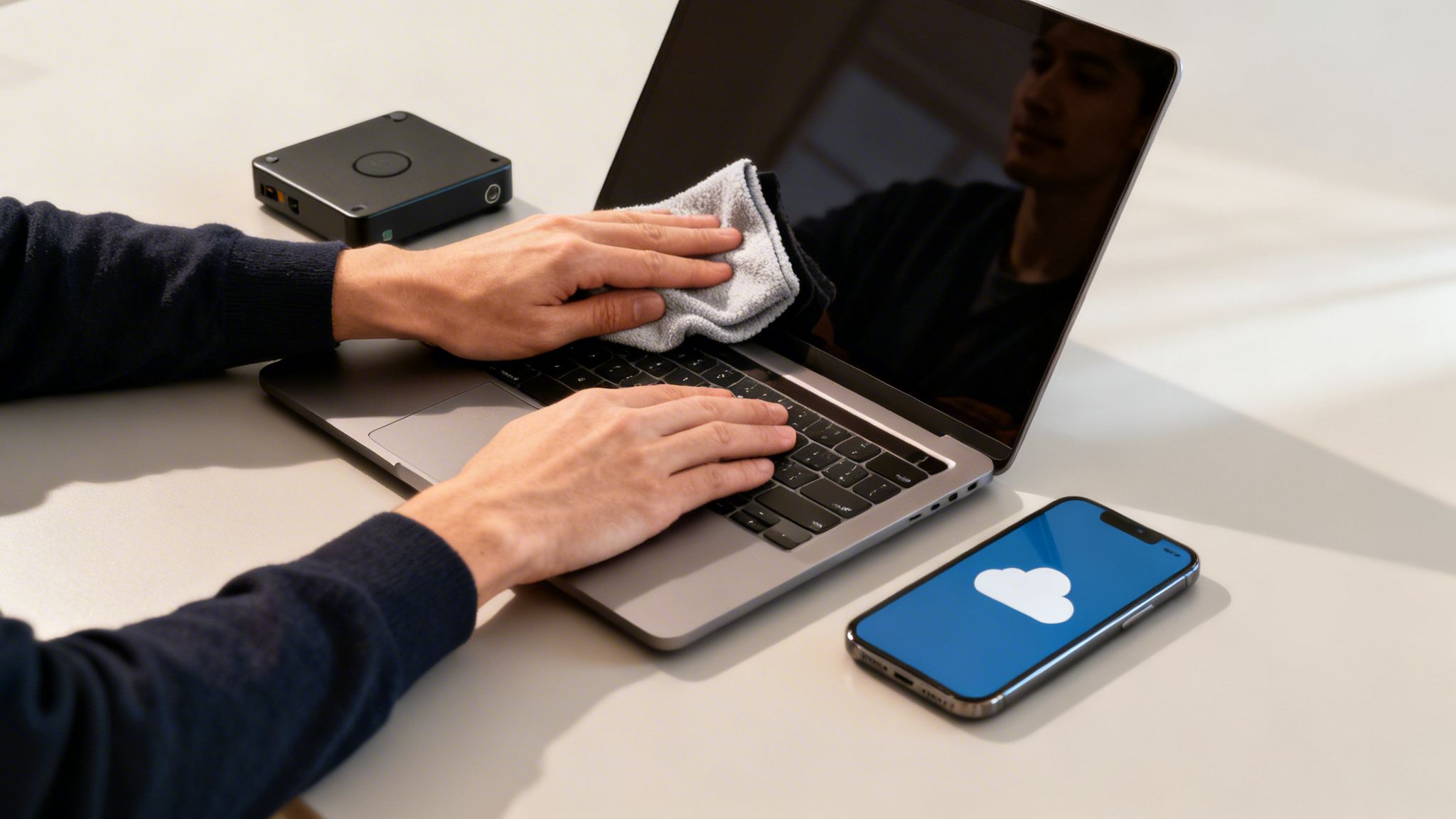
A Good Clean Makes a Great Impression
Finally, give your laptop a proper physical clean. It might sound trivial, but you’d be amazed at how much a sparkling device can boost its perceived value. First impressions count.
Focus your efforts here:
- The Screen: Use a microfibre cloth and a proper screen-safe cleaning spray to get rid of all those smudges and dust particles.
- The Keyboard and Trackpad: A can of compressed air works wonders for blasting out crumbs from between the keys. Then, wipe the keys and trackpad with a slightly damp cloth.
- The Casing: Give the lid, base, and the areas around the ports a good wipe to remove fingerprints and grime.
A clean, well-presented laptop screams "well-cared-for," which can often translate directly into a better offer. With all that done, you’re in the perfect position to get a fast, accurate quote. You can kick off our simple process by filling out our sales form.
How to Honestly Grade Your Laptop's Condition
Knowing your laptop's real condition is the secret to getting a fair and accurate quote. Think of it like selling a car—an honest description prevents any nasty surprises down the line and makes sure the price you’re offered is the price you actually get. It’s all about setting realistic expectations from the very beginning.
Most buyback companies use a simple grading system to keep things clear. At EXE, for instance, we’ve boiled it down to four straightforward categories: New, Good, Fair, and Broken. Getting your head around these grades helps you size up your own device before you even start the selling process.
So, what’s the difference? A laptop graded as ‘Good’ might have a few light cosmetic scuffs on the lid, the kind of minor wear and tear you’d expect from everyday use. On the other hand, a ‘Fair’ grade could mean it has more noticeable scratches, a bit of a shine on the keyboard from years of typing, or maybe a battery that doesn't hold its charge quite like it used to. Being upfront about these little things helps us massively.
Your Quick Self-Check Guide
To figure out where your laptop fits in, grab it and give it a good five-minute inspection. Our top tip? Do this in a well-lit room so you can catch any subtle marks you might otherwise miss.
Start with the screen. With the laptop switched off, tilt it and look at the display from different angles. Can you see any scratches? Next, turn it on with a plain white or black background to check for dead pixels or bright spots. Even a single faulty pixel can affect the final grade.
Now, give the body a thorough once-over. Run your fingers along the edges and corners to feel for any dings, dents, or cracks—these are common signs it’s taken a tumble at some point. Pay close attention to the hinge area, too. Make sure it opens and closes smoothly without any creaking or stiffness.
Testing What’s Under the Hood
Looks are one thing, but does everything actually work? It’s time to test the functionality.
Go through and press every single key on the keyboard—yep, even the function keys you never touch! A sticky or dead key is a common fault that can easily drop the grade from ‘Good’ to ‘Fair’. Don't forget the trackpad, either. Make sure it registers clicks properly and responds to all your gestures.
After that, plug something into every port. Check the USBs with a memory stick, pop some headphones into the audio jack, and connect the charger to see if it powers up. A faulty port is a definite issue that needs to be declared. Finally, what’s the battery life like? Does it still hold a decent charge, or does it die the second you unplug it? This is a huge factor in determining its value.
Being upfront about a weak battery or a scuffed corner doesn't mean your laptop is worthless. It just means we can give you an accurate quote from the get-go, saving everyone time and avoiding disappointment. Transparency is always the best policy.
And remember, the internal specs are just as important as the physical condition. The processor (CPU), amount of RAM, and storage size (SSD or HDD) are the core components that dictate your laptop's base value. A high-spec machine with a few scratches could still be worth much more than a pristine-looking but older, slower model.
For people in Redhill, Merstham, and the surrounding areas, getting a precise online quote first makes the whole process so much easier, especially when you can follow it up with a convenient local drop-off or collection.
Laptop Condition Self-Assessment Checklist
Use this handy checklist to get a clear picture of your laptop's condition before you request a quote. It'll help you categorise it and estimate its potential value.
Once you’ve done your checks, you'll have a much better idea of what to expect. This honest assessment is the foundation for a quick, smooth, and successful sale.
Ready to see what your device is worth based on its condition? Get your free, no-obligation quote by completing our straightforward sales form now.
Finding the Best Place to Sell Your Laptop
Right, so you’ve backed up your files, wiped the hard drive clean, and given your laptop an honest appraisal. Now for the big question: where do you actually sell it?
In the UK, you’ve got a few solid options, and each one offers a different balance of convenience against cold, hard cash. The choice really comes down to what you value more – getting every last quid out of the deal, or having a quick, painless experience.
Let's walk through the main contenders so you can figure out the best home for your old machine.
Specialist Buyback Services: The Hassle-Free Option
For most people, this is the way to go. Specialist tech buyback services, like us here at EXE, are designed from the ground up to make selling your old laptop as simple and secure as humanly possible. Forget about writing listings, haggling with strangers, or dealing with no-shows.
The process is refreshingly straightforward:
- You pop your laptop's details into an online form.
- You get a guaranteed, no-obligation quote, usually within minutes.
- Happy with the price? You arrange a collection or post it off.
- Once it’s checked over, the money lands in your bank account. Fast.
And if you happen to live near our shop in Redhill, it gets even better. We offer a home collection service covering towns like Merstham and the surrounding areas, so you don't even have to think about finding a box or printing a label. An expert can check your laptop and sort the payment on your doorstep. It’s the ultimate in convenience.
The real win here is the certainty. You know exactly what you're getting, your data is professionally handled, and the payment is quick. If you just want a guaranteed sale without the drama, this is your best bet.
Online Marketplaces: The High-Effort, High-Reward Route
Then you have the big names: eBay, Gumtree, and Facebook Marketplace. There's no getting around it – selling directly to another person can often get you the highest price. You cut out the middleman, and for in-demand models, you can command a real premium.
But, and it’s a big but, that potential reward comes with a serious dose of effort and risk.
When you sell on a marketplace, you’re not just a seller. You’re the photographer, the copywriter, the customer service agent, and the logistics manager. You need to take great photos, write a detailed and persuasive description, and brace yourself for a flood of questions – many from people who have no intention of actually buying.
Worse, you’re opening the door to scams, payment disputes, and buyers who might claim the laptop arrived broken. While most sales go smoothly, plenty of sellers have horror stories about fraudulent payments or people returning a completely different, busted machine.
This quick visual guide can help you assess your laptop’s condition, which is vital information no matter where you decide to sell.
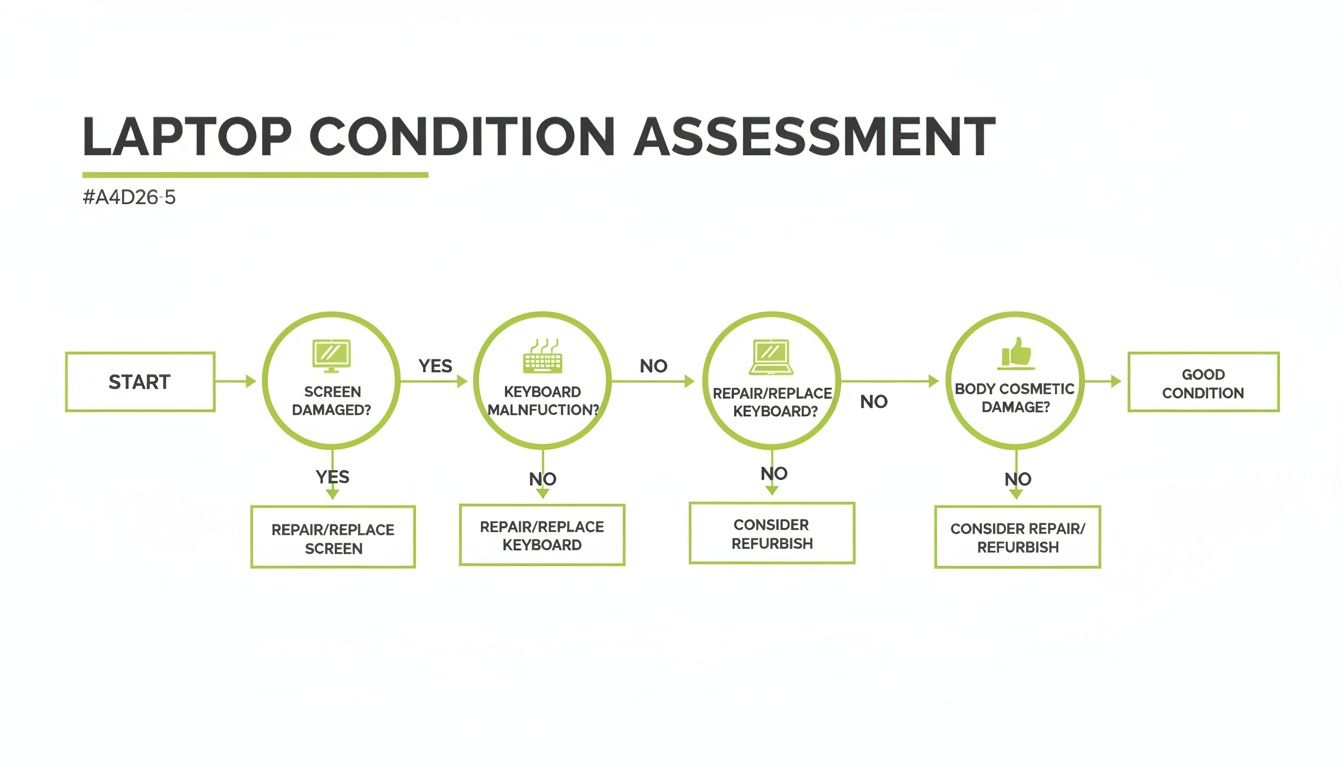
Think of it as a checklist. Running through the key points – screen, keyboard, and casing – gives you a clear idea of whether you’re good to go or if a repair might be needed first.
Manufacturer Trade-Ins and High-Street Shops
Another route is trading your laptop in, either directly with the manufacturer (like Apple's Trade In programme) or at a high-street chain like CEX. This can feel incredibly easy, especially if you’re already in the store buying a new gadget. You just hand over the old one and get a discount on your new purchase.
The catch? The value you’ll be offered is almost always lower than what a specialist buyback service would pay. Crucially, the payment usually comes as store credit or a gift card, not cash. If you need the money for anything other than a new bit of kit from that specific shop, it’s not much use.
It's a convenient option, for sure, but rarely the most financially savvy one. It's always worth getting a cash quote from a dedicated buyback company to compare before you commit.
Making the Right Choice for You
So, what's the verdict? Honestly, the best place to sell your old laptop is the one that fits your priorities.
- Go for a specialist buyback service like EXE if: You want a fast, secure, and guaranteed cash sale with zero fuss.
- Try an online marketplace if: You’re prepared to put in the work for a potentially higher price and are comfortable navigating the risks involved.
- Think about a trade-in if: You're buying a new device from the same place and value immediate convenience over the maximum cash return.
For most people, the peace of mind and simplicity of a buyback service is the clear winner. It takes all the guesswork and risk out of the equation. If that sounds like the right approach for you, why not see what your old laptop is worth? You can get a fast, free quote with no strings attached by filling out our simple sales form today.
From Collection To Cash: Finalising Your Laptop Sale
You’ve sorted your laptop, wiped the data, and landed a great offer. Fantastic! Now for the final straight: getting it safely from your hands to ours and the money into your bank account. Whether we’re collecting it or you’re posting it, this part is all about a smooth and secure handover.
For anyone local, it couldn't be easier. We offer a home collection service if you're within a six-mile radius of our Redhill shop. That means we can swing by places like Merstham or Reigate, give the laptop a quick once-over, and often get you paid right then and there. Simple.
Packing Your Laptop for a Safe Journey
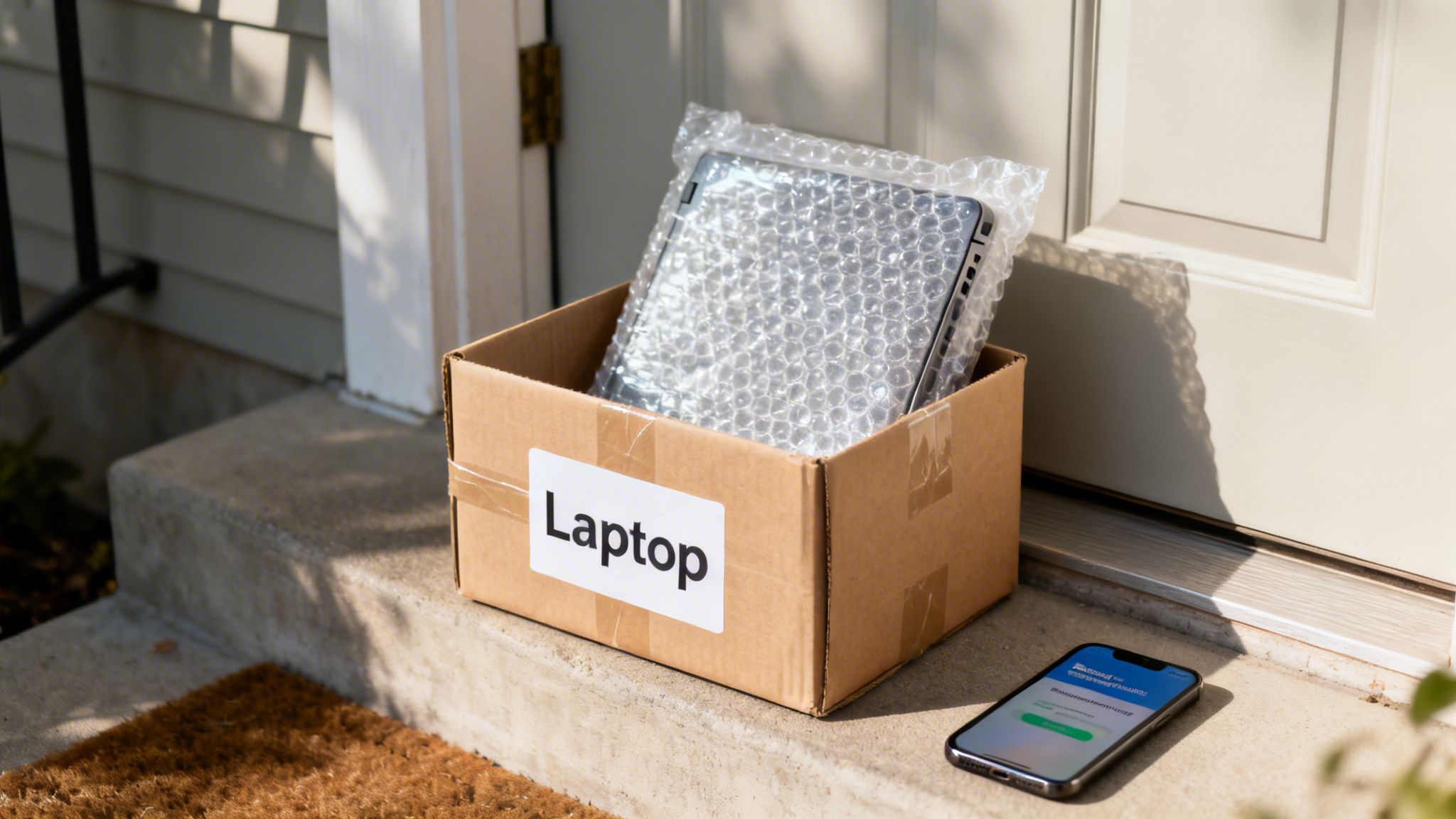
If you're a bit further away or just prefer the convenience of posting, that's absolutely fine. The most important thing is to pack your laptop properly so it survives the journey without a single scratch. A few minutes of care here makes all the difference.
Here’s how to pack it like a pro:
- Box it up: The original box is always the best bet. If that’s long gone, grab a sturdy cardboard box that leaves a good couple of inches of free space around the laptop.
- Wrap it tight: Give it a generous hug with bubble wrap – at least two layers all around is a good rule of thumb. A bit of tape will keep it from unravelling.
- Fill the voids: You don't want the laptop sliding about. Pad out any empty space with crumpled newspaper, more bubble wrap, or foam inserts until it's snug.
- Seal and shake: Use strong packing tape to seal every opening. Before you slap a label on it, give the box a gentle shake. No rattling? Perfect.
For your own protection, it’s well worth using a tracked service. This gives you proof of delivery and lets you see exactly when it’s been received, giving you total peace of mind.
Getting Paid Quickly and Securely
Once we have your laptop, the last thing to do is get you paid. When you sell to a direct buyback company, you skip the uncertainty of marketplace payments. There's no waiting for a stranger to release funds or dealing with platform fees.
We’ve found that a direct bank transfer is the most secure and efficient way to pay you. It's clean, fast, and means the money goes straight from our business account to yours, usually the very same day we receive and check your device.
The price we agree on is the price you get. No last-minute haggling, no fuss.
A Quick Note on ID Checks
Don't be alarmed if a professional buyer asks to see some ID. In fact, you should see it as a good sign. Any reputable company that takes security seriously will need to verify who they're buying from.
It’s a standard anti-fraud measure that protects everyone involved and helps keep stolen goods out of circulation. This simple step is just one of the things that separates a professional outfit from a random buyer on a marketplace.
Our goal is simple: make the entire experience feel safe, transparent, and rewarding from start to finish. You should feel confident from the moment your laptop is boxed up to the second you see the payment land in your account.
Got Questions About Selling Your Laptop? We’ve Got Answers
Even with a step-by-step guide, you might still have a few things on your mind. Selling old tech can feel like a bit of a leap, so let's tackle some of the most common questions we hear from people just like you.
Is My Ancient Laptop Worth Anything at All?
You might be surprised! Even if your laptop is a few years old and struggles with the latest software, it almost certainly has some value. Think of it like a donor vehicle – its individual parts, like the screen, memory (RAM), or even the plastic casing, can be salvaged to give another machine a new lease of life.
While you won't get top-of-the-range money for a vintage model, it’s nearly always worth more than nothing. The only way to know for sure is to get a free, no-obligation quote from our sales form. That old machine gathering dust in the corner could turn into a nice little bonus.
What If My Laptop Is Broken?
A broken laptop is definitely not a worthless one. Many buyback services, including us here at EXE, actually specialise in buying faulty devices. Whether you're dealing with a cracked screen, a battery that dies instantly, or a keyboard with a mind of its own, we can often still make you an offer.
The price will naturally depend on the model and the extent of the damage, as plenty of other parts can still be recovered. It’s a far better outcome than letting it end up in a landfill, and you get some cash in your pocket. Just be totally upfront about the faults when you fill out the sales form.
How Do I Know I'm Getting a Fair Price?
This is a really important question. A "fair price" is simply one that reflects the laptop's current market value, taking into account its age, model, specs, and condition. Professional buyers use live market data to figure out what a specific model is worth on the second-hand circuit.
The key to feeling good about the price is transparency. A trustworthy buyer will give you a clear quote based on the details you provide and will stick to it, assuming the laptop arrives as described. A good way to sense-check the offer is to look up what similar models have actually sold for on eBay, then subtract their fees and postage costs.
Is It Safe to Sell My Laptop?
Absolutely, as long as you take the right precautions. Your biggest concern should always be your personal data, which is why securely wiping the hard drive is something you simply can't skip. As we covered earlier, a full factory reset is the best way to safeguard your privacy.
Selling to a reputable, registered business like ours adds another huge layer of security. We have a reputation to protect and follow strict data protection rules. Frankly, it’s a much safer bet than arranging to meet a stranger from an online marketplace. For our local customers in Redhill or Merstham, our home collection service offers that extra bit of peace of mind.
How Long Does It All Take?
This is where using a dedicated buyback service really shines. From the moment you get an online quote to having the money in your bank account, the whole thing can often be sorted in just a couple of days. If you're local to our Redhill shop and opt for our collection service, it can be even quicker—sometimes on the very same day! We've designed the process to be as fast, efficient, and painless as possible.
Ready to turn that old tech into cash? EXE offers a fast, fair, and secure way to sell your laptop. Get your free, no-obligation quote today by filling out our simple form at https://www.exe.co.uk/#form.