


First things first, to find out if a phone is blacklisted, you need its unique 15-digit IMEI number. Don't worry, it sounds more technical than it is! The quickest way to get this is usually by dialling *#06# on the phone itself. With that number in hand, you can use an online IMEI checker or get in touch with a mobile network provider to see if it’s been flagged. If it comes back as "blacklisted," it means the phone has been reported lost or stolen and won't work on any UK mobile network.
Why You Need to Check If a Phone Is Blacklisted

Ever thought about selling your old phone but weren't quite sure what you needed to do first? There's one check that's an absolute must: verifying its blacklist status. To a potential buyer, a blacklisted phone is nothing more than a very expensive paperweight, as it's been blocked from connecting to all major UK mobile networks.
This block is triggered when a device gets reported as lost or stolen. So, if you're looking to sell, knowing how to check if a phone is blacklisted isn't just a box-ticking exercise—it’s the cornerstone of a legitimate and trustworthy sale.
The Rising Tide of Phone Theft
Unfortunately, phone theft is a massive problem here in the UK. The latest data is pretty sobering, revealing that the UK is responsible for a huge 39% of all phone theft and loss claims across 12 European countries. That’s a 21% jump from the previous year, with official stats showing snatch thefts at their highest point since 2003. You can read more about these troubling trends in this detailed report on rising phone crime.
These numbers really drive home why a blacklist check is so vital. It’s a simple step that helps stop stolen phones from being sold on and ensures you aren't accidentally passing on a device with a dodgy history.
A quick check before you sell provides complete peace of mind. It confirms the phone is legitimate, protecting you from future disputes and ensuring the buyer receives a fully functional device.
Securing a Fair and Smooth Sale
For a professional buyback service like us at EXE, based in Redhill and serving customers in Merstham, Reigate, and beyond, this check is mandatory. It's how we make sure every single transaction is transparent and above board.
Running this check yourself before you sell just makes everything easier.
- It builds trust: Proving your device is clean right from the start shows you’re an honest seller.
- It prevents delays: Finding out about a blacklist issue halfway through a sale can cause serious headaches and hold up your payment.
- It ensures you get paid fairly: A clean status means you’ll get the best possible price for your old tech, no questions asked.
Once you’ve confirmed your phone is all clear, the next step is getting a great offer for it. You can find out what your device is worth by getting a free, no-obligation quote from us. Just fill out the details on our easy-to-use sales form to get started.
Getting Hold of Your Phone's IMEI Number

Before you can run any checks, you first need to find the phone's unique 15-digit IMEI number.
Think of the IMEI (which stands for International Mobile Equipment Identity) as your phone’s fingerprint. No two devices in the world share the same one, and it's this exact code that networks use to identify and, if necessary, block a phone from their service.
Luckily, tracking this number down is really simple. Here are a few foolproof ways to find it in seconds.
The Easiest Trick in the Book: The Dialler Code
This is hands-down the fastest method and my personal go-to. It works on just about any mobile phone you can think of, from the latest iPhone and Samsung Galaxy to older Android models.
All you have to do is open the phone's calling app and type in *#06#.
That’s it! The phone’s IMEI number (or numbers) will instantly pop up on the screen. There's no need to even press the call button. You can usually just tap and hold to copy the number, which saves you from jotting it down and making a typo.
A Quick Tip: If you see two IMEI numbers, it just means the phone supports dual SIMs (either with two physical cards or one physical and one eSIM). Both numbers are perfectly valid, but for running a check, it's always best to stick with the first one listed, IMEI 1.
This method is so reliable because it pulls the code directly from the phone’s own software, so you know it’s the right one.
Other Places to Look for the IMEI
What if the phone won't turn on or the screen is smashed? No problem. There are a few other spots where the IMEI is hiding in plain sight.
- Dive into the Settings: On an iPhone, navigate to Settings > General > About. If you're on an Android device, you'll usually find it under Settings > About Phone.
- Check the SIM Tray: A lot of manufacturers, especially Apple, laser-etch the IMEI onto the little tray that holds your SIM card. You might need good lighting and sharp eyes, but it’s there.
- Find the Original Box: If you still have it, the phone's original box is a goldmine. Look for a sticker on the side or back – it will list the IMEI along with the serial number and a barcode.
Once you’ve got that 15-digit number, you’re all set to find out if the phone is clean. And when you're ready to sell, having the IMEI handy will speed things up when you fill out our online sales form for an instant quote.
Choosing the Right Way to Check Your Phone's Status
Right, you’ve got your phone's IMEI number handy. Now for the crucial part: finding out if it has a clean bill of health. There are a few different ways to tackle this, from quick free checks to more comprehensive paid services. Which one you choose really depends on how certain you need to be.
A Quick First Look: Free Online Checkers
For a lot of people, the first stop is a free online IMEI checker. They're dead simple to use – you just pop your 15-digit number into a box and get a quick status report. It's a great starting point, and often, it's all you'll need.
But it’s important to know their limitations. These free tools often pull from public databases that aren't always updated instantly. So, there can be a bit of a lag between a phone being reported as lost or stolen and it actually showing up as blacklisted. Think of it as a helpful first glance, not the final word.
For a More Reliable Answer: Go Straight to the Source
If you want a much more accurate result, your best bet is to check directly with the major UK mobile networks. After all, they’re the ones who control the blacklist, so their information is as up-to-date as it gets. This is especially handy if you know which network the phone was originally on.
Most of the big players have a way for you to do this:
- Vodafone: Usually has a dedicated support page or a live chat where you can ask for a status check.
- EE: You can get in touch with their support team with the IMEI, and they can confirm if a device is blocked.
- O2 & Three: Just like the others, their customer service teams are typically your go-to for these kinds of queries.
Going direct like this is the closest you'll get to a guaranteed answer without paying for a service. It’s an extra step, for sure, but it’s absolutely worth it for the peace of mind.
The Gold Standard: Using a Professional Service
When you need absolute certainty – say, if you're buying a second-hand phone or want to prove its clean history to a buyer – a paid service is the way to go. In the UK, the industry heavyweight is CheckMEND.
CheckMEND is a seriously powerful tool. It cross-references a massive, live database of device histories, looking not just at the blacklist but also for things like outstanding finance or insurance claims. You pay a small fee and get a detailed report, complete with an official certificate. It's perfect for proving a phone’s legitimacy.
Using a service like CheckMEND gives you an undeniable record of the phone's status at that moment in time. It's the most thorough way to protect yourself and ensure a smooth, transparent sale.
With telecom fraud becoming more and more sophisticated (the Crime Survey for England and Wales now calls fraud the nation's most common offence), these checks are more important than ever. In fact, the major networks have launched a new Fraud Sector Charter to combat these issues, which just goes to show how seriously everyone is taking it. You can learn more about the industry's fight against telecom fraud to see why being vigilant is so crucial.
Comparing Blacklist Check Methods
To make it easier, here's a quick rundown of your options.
Ultimately, the right method comes down to your situation. For a quick personal check, a free service followed by a network check is often enough. For any transaction, the certainty of a CheckMEND report is hard to beat.
Once you have confirmation that your phone is clean and ready to go, the final step is getting a great price for it. At EXE, we make that part easy. You can get an instant, no-obligation quote by visiting our secure online sales form.
What To Do With Your Results
Right, you’ve run the check and now you're staring at the results. What does ‘Clean’ or ‘Blacklisted’ actually mean for you, and what on earth do you do next? Let's get it sorted.
This quick flowchart breaks down the very first steps, which all kick off with getting hold of your phone's IMEI number.

As you can see, everything really does depend on that unique code. Once you have it, you can find out the phone's true status.
If Your Phone Is Clean
Fantastic news! A ‘Clean’ or ‘Clear’ result is exactly what you were hoping for. This is your confirmation that the phone hasn't been reported lost or stolen and is completely free to connect to any UK mobile network. It’s fully functional and ready for a new life.
This puts you in the perfect position to sell it for the best price. At EXE, we make that part incredibly easy.
- Get an Instant Quote: Find out exactly what your device is worth in just a few seconds.
- Convenient Collection: If you're local to us in Redhill or nearby places like Merstham, we can often arrange to collect it right from your doorstep.
- Fast Payment: We pay by immediate bank transfer, often before our team has even driven away.
Ready to turn that clean phone into cash? Head over to our secure online sales form to get your free, no-obligation quote today.
A clean report is your green light for a fast and fair sale. It wipes out any doubt about the phone's history and ensures you get the full value it deserves.
After confirming your phone is clean and ready to go, you might also want to figure out how to stop spam calls to ensure a more peaceful mobile experience for yourself or its next owner.
If Your Phone Is Blacklisted
Seeing a ‘Blacklisted’ result can feel like a real setback, but don't panic just yet. It simply means the phone's IMEI has been flagged, which blocks it from connecting to UK mobile networks. This usually happens when a phone is reported lost or stolen, but it can also be due to an unpaid contract.
First things first, could it be a mistake? If you're the original owner and you’re certain the phone has a clean history, it's definitely worth disputing. Your best bet is to contact the original network provider – the company the phone was first purchased from. Explain the situation clearly and have your proof of ownership ready. They are the only ones with the power to investigate and, if it’s a genuine error, remove the block.
What if the phone is legitimately blacklisted and there’s no way to clear it? Unfortunately, it can't be sold as a working device in the UK. However, that doesn't make it worthless. The internal components—the screen, camera, logic board, and so on—are still perfectly good and valuable for repairs.
At EXE, we often buy blacklisted phones specifically for their parts, giving you a way to recover some of its value. Just be upfront about its status when you fill out our sales form, and we'll give you a transparent quote based on its value for parts.
Selling Your Phone Safely After the Check
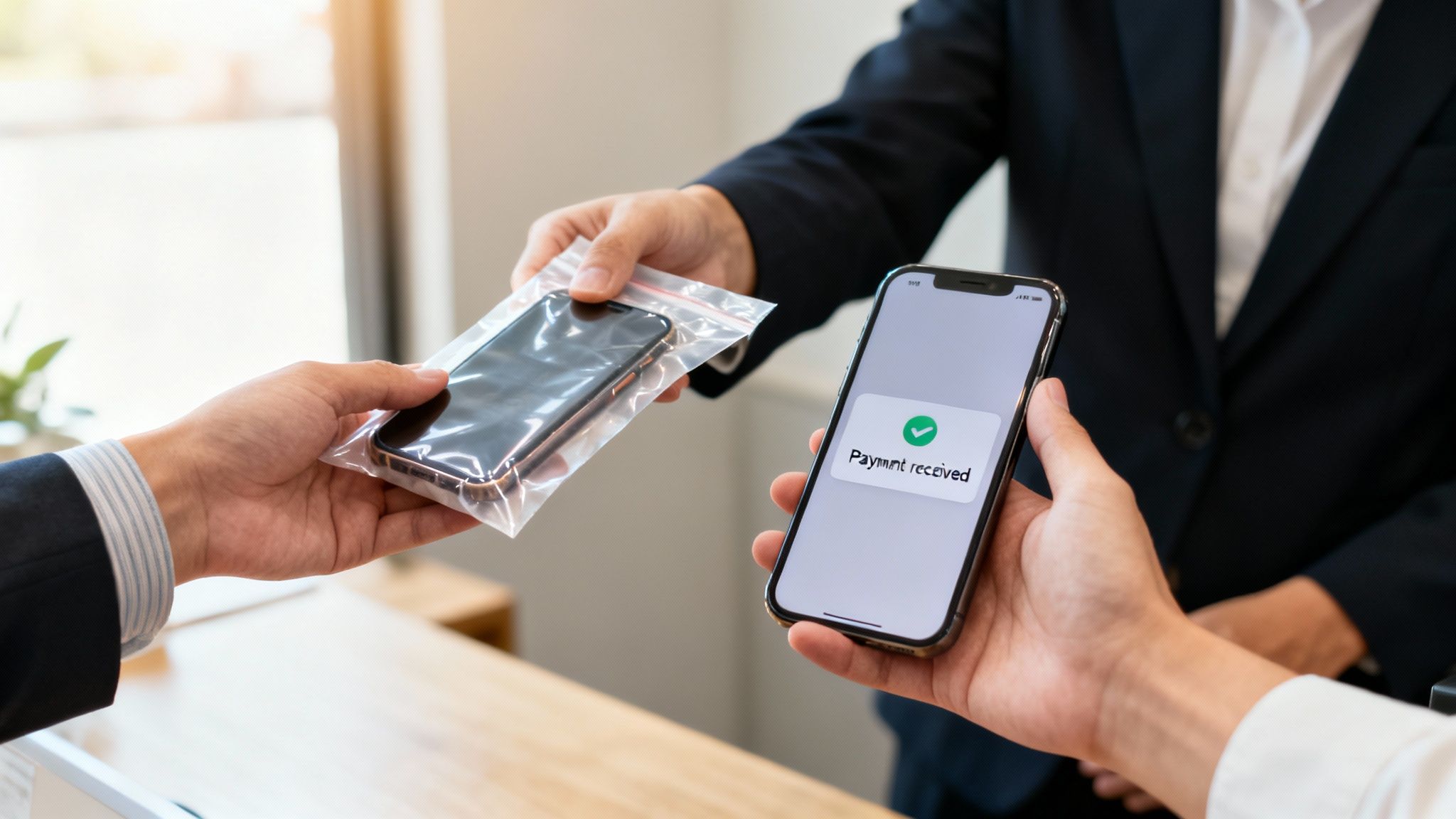
So, you’ve done your homework and confirmed your phone has a clean record. Fantastic. Now you’re ready to turn that old device into cash, but how you sell it is just as important as the check you just ran.
While online marketplaces might look like the quickest route, they can be a real headache. Selling privately often means dealing with time-wasters, endless haggling, and the genuine worry of whether you'll even get paid. Plus, there's a big question mark over data security – a simple factory reset doesn't always wipe your personal info for good.
That's where choosing a professional, trusted service makes all the difference.
The Smart and Secure Way to Sell Your Phone
Here at EXE, we take the risk and hassle completely out of the equation. We’ve built a reputation for being a secure, fast, and fair place to sell your old phone, especially for our local customers in and around Redhill, Reigate, and Merstham. Our entire process is built on being transparent and trustworthy.
This has never been more important. With UK phone thefts soaring—street thefts in England and Wales recently hit a shocking 483,000 in just one year—proving your phone is legitimate with an IMEI check is vital. It’s what allows a professional buyback service to give you the best possible price. You can read more about these staggering mobile theft statistics in Europe if you're curious.
When you sell to a professional buyback service, your personal data is securely destroyed. We use a GDPR-compliant wiping process that guarantees your information is gone forever, giving you complete peace of mind.
Why a Specialist Service Like EXE is Your Best Bet
You’ve already been diligent by running a blacklist check; the final step should be just as secure and straightforward. We've fine-tuned our process to put your security and convenience first.
- Guaranteed Data Security: Our data wiping is a professional-grade process, far more effective than a factory reset you’d do at home.
- Instant, Secure Payments: Forget awkward cash handovers. We pay directly into your bank, so the process is clean and immediate.
- Local and Convenient: If you're near our Redhill base or in surrounding towns like Merstham, we can even arrange a home collection to make life easier.
After taking the time to check if your phone is blacklisted, the last thing you want is a stressful or risky sale. Let us handle the final step professionally so you can get paid and move on without a worry.
Ready for a fast, fair, and secure offer? Get a free, no-obligation quote today by filling out our simple online sales form.
Your Blacklisted Phone Questions, Answered
You've got the lowdown on how to check if a phone is blacklisted and what to do next, but it’s normal to have a few more questions buzzing around. We get these all the time at our Redhill shop, so I've put together some straight-talking answers to the most common ones.
Can a Phone Be Taken Off the Blacklist?
Yes, it can, but there's a big "but". Only the network that originally put the phone on the blacklist has the authority to take it off. This usually only happens in a couple of specific situations: if a phone was reported lost or stolen and then recovered, or if a hefty outstanding bill that led to the block is finally settled.
If you’re the original owner and you're certain your phone was blacklisted by mistake, your only real move is to get in touch with the network provider directly. Be prepared to prove you own the device and ask them to look into it.
Will Wiping My Phone With a Factory Reset Get Rid of the Block?
In a word: no. A factory reset is great for wiping your personal data and giving the software a fresh start, but it won’t touch the blacklist status. The block isn’t on the software; it’s hard-coded to the phone’s unique IMEI number.
I like to explain it like this: it’s like a car's registration plate. You can respray the car and valet the inside, but the reg number stays the same. The blacklist is a nationwide block tied to that IMEI, so no amount of software magic will change it.
What Happens If I Send a Blacklisted Phone in to Sell?
Honesty is always the best policy here. At EXE, every single phone that comes through our doors gets a blacklist check as a standard part of our testing. If a device flags up as blacklisted, we unfortunately can't buy it for its full working value, as it’s a brick on UK networks.
That doesn't mean it's worthless, though. Depending on the model, we can often still make a fair offer for its parts, which are valuable for repairs. To save yourself any hassle, it's always a good idea to run a quick check yourself before you send anything in.
We're all about being upfront. Knowing your phone's status before you start the selling process just makes everything smoother and ensures you get an accurate, fair quote from the get-go.
Do These Checks Work for Phones from Outside the UK?
They can, but it’s a bit of a grey area. The UK blacklist database is incredibly reliable because all our major networks share information. While there's a lot of data sharing between international networks, the system isn't completely global.
A phone from abroad might work just fine for a while, but if it gets reported lost or stolen here in the UK, it will be added to our blacklist. If you're dealing with a phone that has an international past, your best bet is to use a dedicated global checking service to get the full picture.
Ready to turn that old phone into cash, the simple and secure way? At EXE, we give competitive prices and make the whole process a breeze. Get your free, no-strings-attached quote by filling out our quick form at https://www.exe.co.uk/#form.