


So, you’re wondering, “How much is my phone actually worth?” Before you can get to a number, you need to know exactly what you’ve got. An iPhone 14 Pro Max with 512GB of storage is in a completely different league to a basic iPhone 14 with 128GB. Getting these details spot-on is the first, most important step to getting a fair price.
What Determines Your Phone's Resale Value
The value of your old phone isn't a single, fixed number. It’s a mix of several key factors that trade-in companies and private buyers look at very closely. It’s a bit like selling a car—the make, model, year, and condition all play a huge part. It’s the same logic for phones, just with different specifics.
Having all this info ready from the start doesn’t just speed things up; it shows you know what you're talking about. The most critical details are the phone's precise model, its storage capacity, and whether it's locked to a network. These three things create the baseline for any quote you'll get.
Nail Down Your Phone's Exact Model and Storage
Just saying you have "a blue Samsung" isn't going to cut it. Is it a Galaxy S23 or a Galaxy S23 Ultra? That difference alone could mean hundreds of pounds. Storage capacity is another big one; a 512GB model can often fetch up to 25% more than the 128GB version of the exact same phone.
Luckily, finding this information is straightforward:
- For iPhones: Just pop into
Settings > General > About. You'll see the "Model Name" and "Capacity" right there. - For Android devices: Head to
Settings > About phone. The path might differ a tiny bit depending on the manufacturer, but the "Model name" and storage details will be in that area.
Make a note of what you find. For example: "Apple iPhone 13 Pro, 256GB" or "Samsung Galaxy S22 Ultra, 512GB." This level of detail is essential if you want a reliable price.
Knowing your phone’s exact specifications is the foundation of a successful sale. It prevents mismatched quotes and ensures you receive the correct payment without delays or frustrating re-evaluations from buyers.
Check if It's Locked to a Network
The next piece of the puzzle is whether your phone is locked to a specific mobile network (like Vodafone or EE) or if it's "unlocked." An unlocked phone can be used with a SIM card from any provider, which makes it far more appealing to more people and, as a result, usually gives it a higher resale value.
You can often find this status in your phone’s settings under "Mobile Data" or "Network." But if you’re not sure, the simplest test is to borrow a SIM card from a friend on a different network. If it works, your phone is unlocked. If it doesn't, it's locked.
It's worth remembering that most UK networks will unlock your device for free once your contract is paid off. Taking a few minutes to do this can genuinely boost its worth.
Grading Your Phone's Condition Honestly
Here’s where you need to be brutally honest with yourself: your phone’s physical and functional state is the biggest factor in what it's worth. We all tend to think our device is in 'good' condition, but what you see day-to-day is very different from the critical eye of a trade-in specialist or a savvy private buyer. A tough, honest assessment now prevents the sting of a low-ball offer later.
Think of it like being a detective examining your own device. Start with the screen. Get it under a bright light and tilt it around. Look for the difference between micro-scratches—those fine lines you can only see at certain angles—and deep scratches you can actually feel with your fingernail. Any cracks, no matter how small or tucked away in a corner, will instantly drop your phone into a lower price category.
A Full Functional MOT
A phone that looks pristine but has a dodgy button is a no-go. Buyers, especially professional ones, will test everything, so you need to beat them to it. This quick check can uncover problems you’ve learned to live with but will be flagged immediately during an official inspection.
Go through this functional checklist properly:
- Buttons and Ports: Do all the buttons click and respond instantly? When you plug in a charger, does it connect snugly and start charging without needing a jiggle?
- Cameras: Fire up both the front and back cameras. Check the glass lenses for any scuffs or cracks. Snap a few pictures and a short video to make sure there are no dark spots, weird blurs, or focus problems.
- Speakers and Microphone: Play a song or a video to test the speakers at different volumes. Then, record a quick voice note and listen back to it. Is it clear, or does it sound muffled?
Running these simple checks means no nasty surprises down the line. A faulty charging port or a blurry camera are classic reasons why an initial quote gets slashed after the phone is inspected.
An honest self-assessment is key. Misrepresenting the condition, even unintentionally, can lead to a revised, lower offer from a trade-in service and a loss of trust with a private buyer. Being upfront builds credibility and sets realistic expectations.
Phone Condition Grading Checklist
To give you a clearer picture, I've put together a checklist that mirrors how professionals grade devices. Use it to see where your phone truly stands.
This table should help you grade your phone objectively and get a much more accurate idea of its resale value before you even look for offers.
Understanding the Battery's Health
Battery health is a massive selling point these days. A phone that can hold its charge is far more appealing than one that's dead by 3 p.m. After all, a dying battery is one of the top reasons people upgrade in the first place, so buyers are hyper-aware of this.
On an iPhone, this is easy. Just head to Settings > Battery > Battery Health & Charging. If the Maximum Capacity is above 85%, you're in a good spot for a used device. If it dips below 80%, Apple flags it as significantly degraded, and that will definitely lower your phone's worth.
Android phones don't always give you a straightforward percentage, but you can judge its health from daily use. Does the battery plummet for no reason? Does it ever just switch off unexpectedly? Be realistic about its stamina—it directly impacts the price. On a final note, having the original box, charger, and cable can often add a surprising 5-10% to your final offer. It just shows you've looked after it.
Finding Out What Your Phone is Really Worth in the UK
Alright, you’ve got your phone's exact model and you’ve been brutally honest about its condition. Now for the interesting part: finding out what it's actually worth. This isn't about plucking a number out of thin air; it’s about doing a bit of detective work to see what people are genuinely paying for a phone just like yours. Getting this right sets your expectations and helps you know a good deal when you see one.
First things first, let's separate wishful thinking from reality. Anyone can list a phone for a high price, but what really matters is the price it actually sells for. This is where online marketplaces are your best friend, but you have to know how to use them properly.
The eBay Trick for Uncovering Real Prices
eBay is an absolute treasure trove for this kind of research, but just browsing the active listings will lead you astray. Here’s a pro tip: use the "Sold Items" filter. This is the secret sauce. It cuts through the noise and shows you a log of completed sales for phones identical to yours, revealing precisely what real buyers have paid over the last few weeks. It’s the single most accurate pulse check of the market you can get.
It’s easy to do. Just search for your phone's exact details—model, storage, and condition (something like "iPhone 13 Pro 256GB unlocked good condition"). Then, look for the filters, usually on the left-hand side, scroll down a bit, and tick the 'Sold Items' box.
Here’s a look at the eBay UK homepage before you start digging.
That one click changes everything. The page goes from a list of what sellers hope to get to a concrete database of what they actually got. This gives you a solid, realistic price range to work with.
Why Your Phone's Brand Matters So Much
The badge on the back of your phone makes a huge difference to its resale value, especially here in the UK. Let's be blunt: some brands hold their value, and others drop like a stone. Apple is king of the hill in this regard, and it's not even close. The data backs this up completely.
In the United Kingdom, Apple commands a massive 45.19% of the smartphone market. Samsung is a respectable, but distant, second with 33.25%. That means between them, they account for nearly 80% of all phones in the country. This popularity means more people are looking for second-hand iPhones, which keeps demand—and prices—high. Knowing this helps you understand the kind of offers you're likely to get. You can discover more insights about UK used phone trends and see how they play into your device's value.
Private Sale vs. Instant Trade-In: What's the Difference?
Now that you have a benchmark figure from private sales on eBay, it's time to check out what the instant buyback companies are offering. These services are all about speed and convenience. The trade-off? You’ll often get a slightly lower price than you might get by selling it yourself.
The smart move is to get a few instant online quotes to see how they stack up. A few places to check in the UK include:
- EXE: We're known for our competitive prices and handy collection service.
- MusicMagpie: A big, well-known name in the tech recycling game.
- Mazuma Mobile: Another popular choice for getting a quick cash offer.
By comparing the top price you saw on eBay's sold listings with the best instant quote from a site like EXE, you create a clear price spectrum for your phone. The eBay price is your potential top-end value (if you put in the work), while the trade-in quote is your guaranteed, no-fuss price.
This knowledge is your biggest asset. It tells you exactly what your phone is worth in different situations, so you can pick the path that suits you best—whether you’re chasing maximum profit or just want it gone with zero hassle. You’re now ready to price your device with confidence.
Where to Sell Your Phone for the Best Price
So, you've figured out what your phone is worth. The next big question is: where do you actually sell it to get that cash in your hand? You've got a few different routes you can take, and they all offer a different mix of convenience, speed, and profit.
Deciding which way to go really comes down to what matters most to you. Are you after every last pound, or do you just want a quick, painless sale?
This simple decision tree can help you picture the best path forward.
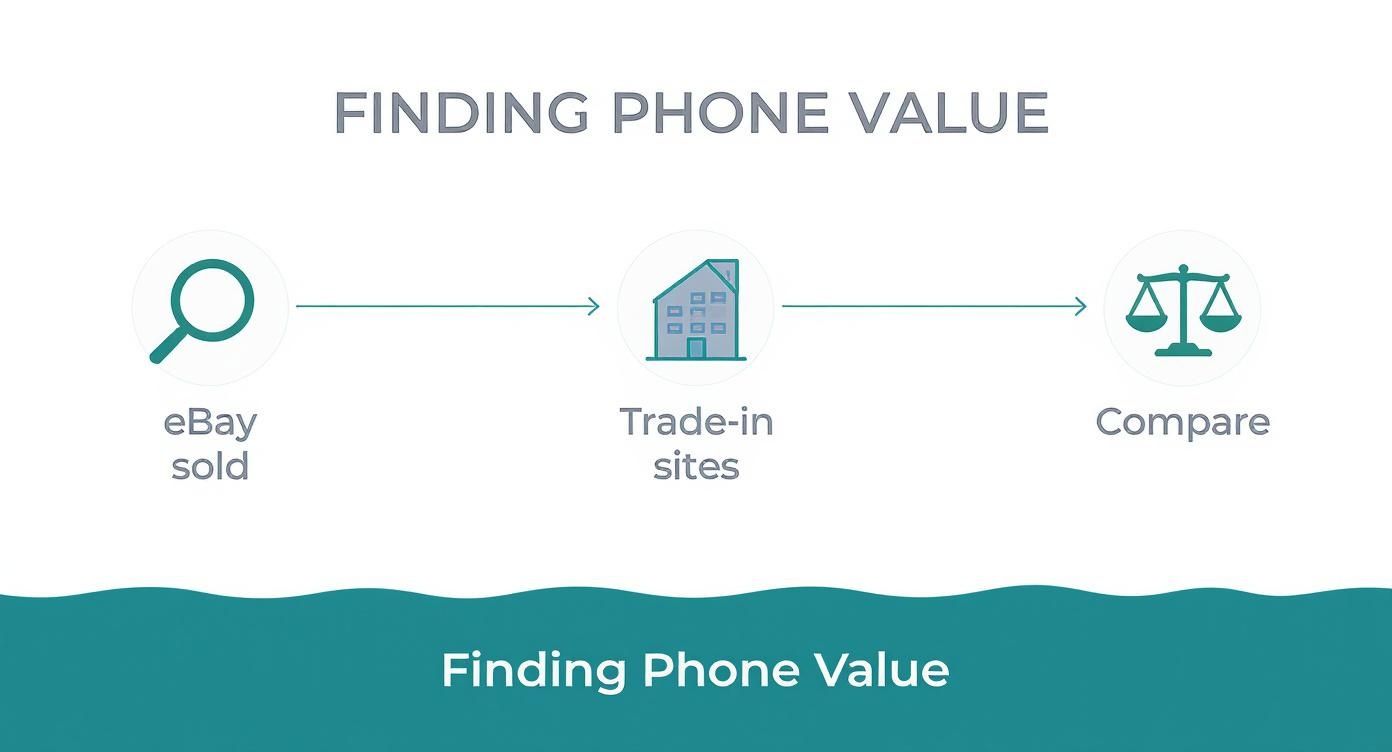
As you can see, it boils down to a clear choice: put in the time and effort to sell privately for a higher price, or choose the fast and easy option with a trade-in service.
Selling Privately for Maximum Profit
If your top priority is getting the absolute most money for your old phone, then selling it yourself is usually the way to go. Platforms like eBay, Facebook Marketplace, or Gumtree let you connect directly with buyers, meaning you get to keep the full sale price.
Of course, there’s a catch. This route takes the most work.
You’ll be responsible for the whole process, which means you need to:
- Take clear, high-quality photos that show your phone from every angle, flaws and all.
- Write a compelling and honest description covering all the key specs.
- Field questions from potential buyers, handle negotiations, and arrange for secure payment and shipping.
It can be a great feeling to get top whack for your device, but be realistic about the time and patience it requires.
Trade-In Services for Ultimate Convenience
At the other end of the scale, you have trade-in and buyback companies. This includes your mobile network, major retailers, and specialists like us here at EXE. The massive appeal of this option is how incredibly simple and fast it is.
You get an instant quote online, post your device (often for free), and the money is in your account before you know it.
The trade-off for all this convenience is that you’ll likely get a bit less than you would from a private sale. These companies have to cover their costs and make a profit, after all. For many people, though, skipping the hassle of selling it themselves is a price well worth paying.
If you want a guaranteed price with zero fuss, this is the perfect solution.
The Rise of the Refurbished Market
It's a fantastic time to be selling a phone in the UK. The demand for quality second-hand devices is through the roof, with the organised secondary smartphone market growing by 7% year-on-year.
Interestingly, a staggering 56.5% of all refurbished phones sold are iPhones, which shows just how well they hold their value. This strong demand keeps resale prices high, especially for Apple products. If you want to dive deeper into the UK's device landscape, you can learn more about Apple's market position and what drives these trends.
Ultimately, there's no single "best" place to sell your phone—it's about what’s best for you. A good strategy is to get a few instant quotes from services like EXE and then compare them to the recently sold prices on eBay. This gives you a clear, real-world comparison of profit versus effort, helping you make the right call.
Getting Your Phone Ready for a Safe Sale
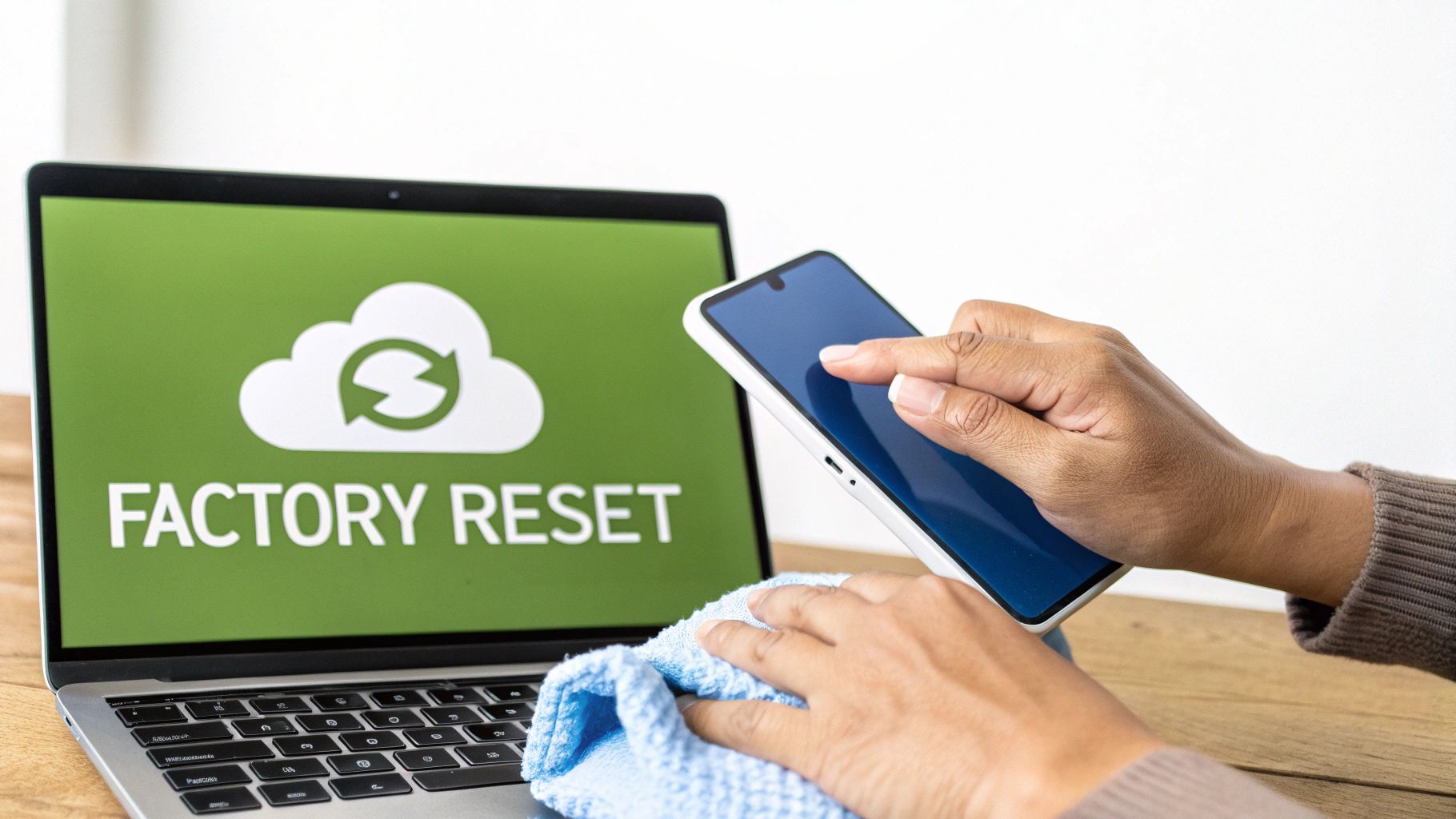
Before your phone finds its new home, the most important job is to protect your personal information. This isn't just about tidying up for the buyer; it’s about safeguarding your digital life and making sure the sale is smooth and trustworthy. A little bit of prep work here makes all the difference.
First things first: back up everything that matters. We're talking photos, contacts, notes, app data—all the digital bits and pieces of your life stored on that device. Losing them is a nightmare, so creating a secure copy is your absolute first priority.
Lock Down Your Data and Accounts
Your phone is a window into your personal world, so it's vital to lock it securely behind you. Before you even think about wiping the device, you have to sign out of your main cloud accounts. This is the step that officially severs the connection between the phone and you.
Here’s what you need to do on any device:
- Create a Complete Backup: If you're on an iPhone, back it up to iCloud or your computer using Finder or iTunes. For Android folks, Google Drive is your best friend, though you can also use your manufacturer's tool, like Samsung Smart Switch.
- Sign Out of Your Cloud Accounts: On an iPhone, head to Settings, tap your name at the top, and sign out of your iCloud. On an Android, go to Settings > Accounts and remove your Google account.
- Switch Off Security Locks: This is a big one. You must disable 'Find My' on an iPhone or 'Find My Device' on an Android. Trade-in companies often won't even accept a phone with this feature still active because it's effectively locked to you.
Once you’ve ticked off these steps, you’re ready for the final data wipe.
A classic mistake is doing a factory reset before signing out of iCloud or Google. This can leave the phone 'activation locked,' which is a massive headache for everyone involved. Always sign out first.
The Final Wipe and a Good Clean
With your data secure and your accounts disconnected, it's time for the final, irreversible step: the factory reset. This erases all your content and settings, taking the phone back to its original, out-of-the-box state. You'll usually find this option under the 'Reset' menu in your phone's settings.
It’s amazing how many people just stash their old phones in a drawer, often because they're unsure how to sell them safely. It turns out only 31% of European consumers trade in or sell their old devices, leaving a huge number of perfectly good phones gathering dust. For UK consumers, this highlights a real demand for quality used phones, but so many potential devices never re-enter the market. You can dive deeper into this trend by checking out the latest smartphone market analysis.
Last but not least, give the phone a proper physical clean. Grab a soft, microfibre cloth and wipe down the screen and body to get rid of fingerprints and smudges. Gently clean any dust out of the charging port and speaker grilles with a soft brush. A phone that looks spotless doesn't just look better—it tells the buyer it’s been cared for, which helps justify its price.
Got Questions About Selling Your Phone? We've Got Answers
When you're ready to sell your old phone, a few questions always pop up. It's totally normal. Getting the right answers means you can sell your device with confidence and know you’re getting what it's truly worth. Let's break down the common queries we hear all the time.
This isn't just a checklist; it's about making smart moves to get the most cash back in your pocket.
When’s the Best Time to Sell My Phone in the UK?
You might be surprised, but timing is everything. The sweet spot for selling is almost always just before a big new model is launched. For Apple fans, that means looking at late August or early September. For Samsung, the big reveals tend to happen in late summer too.
The moment a new phone hits the headlines, loads of people start upgrading, and the market floods with older models. That competition drives prices down. If you can get ahead of that rush by a month or two, you’ll almost certainly lock in a better price.
Does the Original Box and Accessories Actually Boost My Phone's Value?
Yes, absolutely. Having the original box, charger, and any bits and bobs that came with it can bump up your final offer by 5-10%, especially if you're selling directly to another person.
It’s more than just a box. It tells the buyer you've looked after the phone since day one, which builds a lot of trust and makes your listing look more professional.
Think about it from a buyer's perspective. A phone in its original packaging feels premium and well-cared-for. It’s the kind of detail that makes your ad stand out from a sea of listings for just the handset itself.
Should I Bother Repairing My Cracked Screen Before I Sell?
This is the classic dilemma, and honestly, the answer is: it depends.
For a newer, high-end phone like a recent iPhone or a top-tier Samsung Galaxy, getting the screen professionally fixed will likely cost less than the value you’d lose by selling it with a crack. But for an older phone, the repair bill could easily be more than the extra cash you'd get for it.
Here’s a practical way to figure it out:
- First, get a quick quote for the screen repair from a local shop.
- Next, check the price difference between a 'Fair' and 'Good' condition phone on a trade-in site.
- If the repair costs less than the value you gain, go for it. If not, sell it as is.
Is It Safe to Sell My Phone on Places Like Facebook Marketplace or Gumtree?
You can definitely get a great price on these platforms, but you have to be smart about it. When you sell privately, you're in charge of everything, and that comes with risks you need to manage.
To keep yourself safe, stick to these rules:
- Always meet in a public, well-lit place. A busy coffee shop is perfect.
- Stick to cash or an instant bank transfer that you can see land in your account right there and then via your banking app.
- Never, ever post your phone to a buyer until you are 100% certain the money has cleared.
Ready to find out what your phone is worth without any of the guesswork? At EXE, we give you competitive, no-obligation quotes to make selling your old tech straightforward and secure. Get your free quote today and see how much cash you could get back.