


That old iPad tucked away in a drawer? It’s not just gathering dust—it’s full of potential. Figuring out what to do with old iPads is much easier than you might think, and you've got some genuinely great options. Whether you want to turn it into a bit of cash, give it a new lease of life, or simply get rid of it responsibly, you've come to the right place.
Your Old iPad Has More Potential Than You Think
It’s so easy for old gadgets to end up forgotten at the back of a cupboard. But that dusty tablet is a little bundle of opportunity waiting to happen. Think of it like a classic car that's no longer your daily run-around; it might not be the fastest thing on four wheels anymore, but with a bit of a polish, it can start a whole new chapter.
This guide is your friendly roadmap to making a smart, sustainable choice. Here in our Redhill shop, we’ve seen countless iPads from nearby towns like Merstham and Horley find a new purpose, and people are often surprised by just how many options they have. We’ll cover everything from getting instant cash to turning it into a clever little helper around the house.
Exploring Your Options
Your main paths forward are pretty straightforward, and each has its own perks. You really don't need to be a tech wizard to make a great decision.
Here are the key routes we’ll walk you through:
- Sell It for Cash: This is the quickest way to get some value back, especially if you use a service that makes the whole process a doddle. Get started by visiting our form here: https://www.exe.co.uk/#form.
- Repurpose It at Home: Give your device a second career! It could become a digital photo frame, a kitchen recipe book, or even a central hub for your smart home gadgets.
- Donate to a Good Cause: Let your old tech make a real difference by empowering someone in your community.
- Recycle Responsibly: The greenest option. This ensures any hazardous materials are handled safely and valuable bits are recovered and reused.
Before we jump into all that, we’ll first cover the essential prep work. Getting your device ready by backing up your data and doing a full factory reset is a non-negotiable step to protect your privacy. It makes sure your iPad is a clean slate, ready for whatever’s next.
By the end of this guide, you won’t just have a few ideas; you'll have a clear, simple plan. Whether you decide to sell your iPad by filling out our quick form at https://www.exe.co.uk/#form or give it a new job around the home, you'll be making a fantastic choice.
Getting Your iPad Ready for Its Next Chapter
Before you can sell, donate, or repurpose your old iPad, there are a few essential jobs to do. It’s all about protecting your personal data and ensuring a clean slate for the next owner. Think of it like moving out of a house; you wouldn’t leave all your photo albums and personal documents behind for the new occupants.
These simple steps will get your iPad ready for a smooth and secure handover. It's a non-negotiable part of the process, protecting you and making the device genuinely ready for its new life.
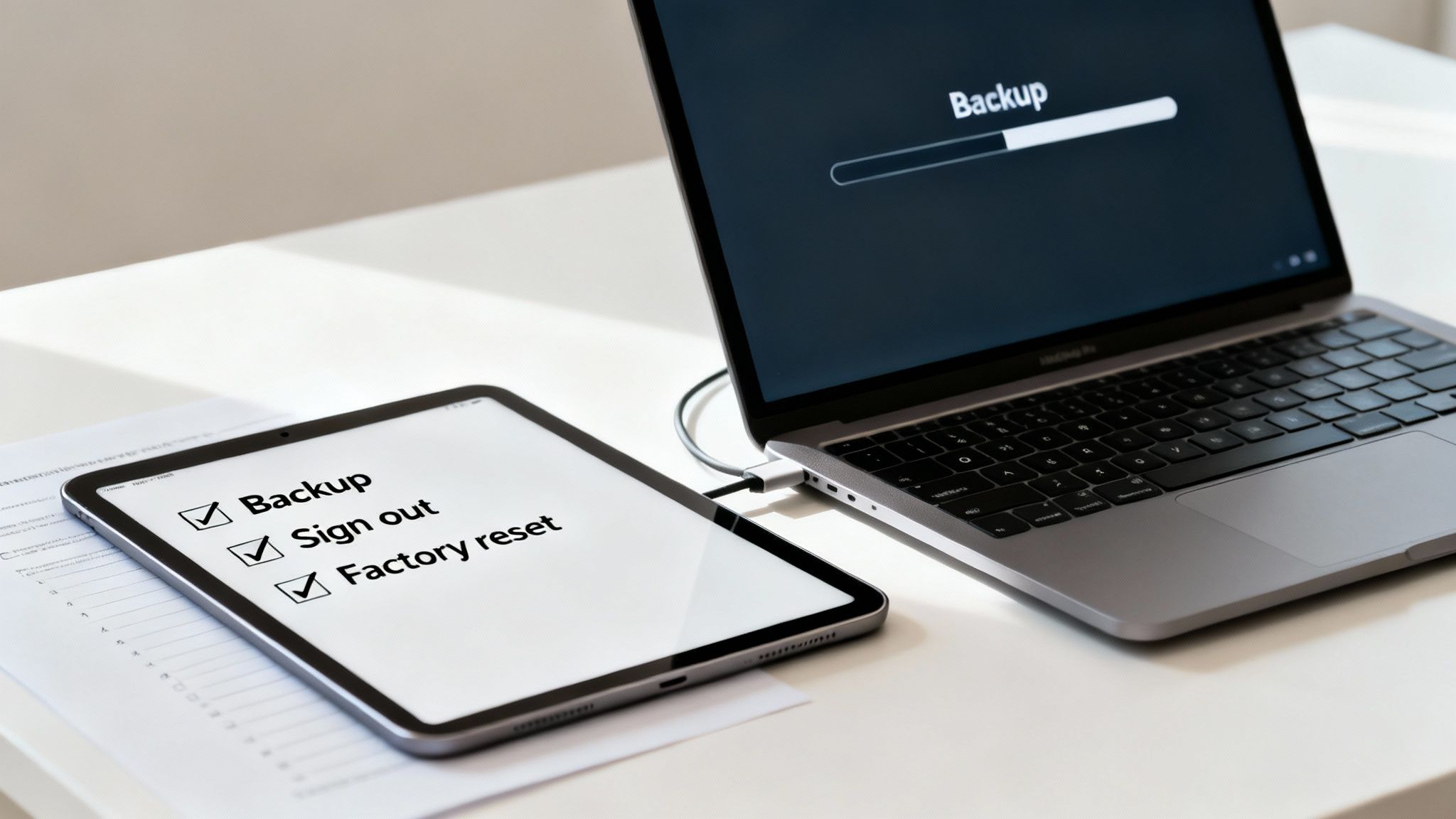
The Essential Prep Checklist
Getting your iPad ready is pretty straightforward. Just follow these steps in order to make sure your personal information is totally safe and the device is completely disconnected from your accounts.
- Back-Up Everything: Your iPad is likely full of memories, from family photos and videos to important contacts and messages. The very first thing to do is make a complete backup. You can do this easily through iCloud directly on the device, or by plugging it into a computer and using Finder (on a Mac) or iTunes (on a PC). Simple. This way, you won't lose a single thing.
- Sign Out of All Accounts: Next, it’s time to cut the cord between the iPad and your personal accounts. Hop into Settings and tap your name at the very top to sign out of your Apple ID and iCloud. This is crucial because it removes the Activation Lock, a security feature that would otherwise stop a new owner from being able to use it.
- Wipe It Clean with a Factory Reset: This is the big one for protecting your privacy. A factory reset completely erases all your content and settings, returning the iPad to the state it was in when it first came out of the box. Go to Settings > General > Transfer or Reset iPad > Erase All Content and Settings. If you’ve forgotten your passcode, don’t panic. There are helpful guides online for resetting your iPad password that can walk you through it.
Give It an Honest Condition Check
Once your data is safely wiped, take a proper look at the iPad's physical condition. Being realistic about its state will help you understand its true value, whether you’re planning to sell it to us or donate it to a good cause.
An honest assessment is key. It helps set realistic expectations for a sale and ensures total transparency. Be thorough and make a note of everything you find.
Have a good look for the following:
- The Screen: Are there any scratches? These can range from faint hairline marks to deeper scuffs. And, of course, check for any cracks.
- The Body: Check the corners and the back for any dents, dings, or scuffs. This is where most of the wear and tear shows up.
- Functionality: Do all the buttons click and work properly? Does it charge without any issues?
Getting your device ready isn't just about protecting your data; it also helps keep electronics out of landfills. The average UK household produces around 20kg of e-waste every year, with countless unused gadgets just sitting in drawers. By giving your iPad a second life, you're making a fantastic choice for the planet.
Now that your iPad is backed up, wiped clean, and you’ve given it a fair assessment, you're all set to decide its future. If you're ready to sell, you can get a quick, no-obligation quote by filling out our simple form at https://www.exe.co.uk/#form.
Got an Old iPad? Here’s How to Turn It into Cash
Let’s be honest, that old iPad sitting in a drawer isn't doing anyone any good. The great news is that turning it into cash is probably a lot easier than you think, and it feels brilliant to get some money back for a gadget you once invested in. When you’re figuring out what to do with old iPads, selling is often the most rewarding route.
For a completely hassle-free experience, a trusted local buyback service is your best bet. If you’re around Redhill or nearby towns like Merstham, using a local specialist means you can skip the faff of postage and avoid dealing with strangers online. Here at EXE, we’ve made selling your old iPad incredibly straightforward.
The Easiest Way to Sell Your iPad
Without a doubt, the simplest method is selling directly to a buyback company. The whole process is designed to be quick, secure, and require very little effort on your part.
Here at EXE, based right here in Redhill, we've fine-tuned the process to be as smooth as possible. You can get an instant, no-obligation quote just by filling out our simple sales form at exe.co.uk. That means no guesswork and no waiting around for an auction to finish.
We offer a fast, fair, and secure way to get cash for your tech. You get a clear price upfront and a pain-free experience, which is why hundreds of customers have left us 5-star reviews.
Other Selling and Trade-In Options to Consider
While a direct buyback is the easiest path, it's worth knowing about a couple of other popular methods. Each has its own pros and cons, so you can pick what's right for you.
- Online Marketplaces: Platforms like eBay or Facebook Marketplace can sometimes fetch a slightly higher price. The trade-off? It’s a lot more work. You'll have to take good photos, write a detailed description, field questions from potential buyers, and then deal with securely packing and posting the device.
- Apple Trade-In: Apple’s own programme is another solid option. You can trade in your old iPad for an Apple Store gift card to put towards your next gadget. It's super convenient if you're already planning to buy a new product from them, but you won't get actual cash in your hand.
It's also interesting to see how major UK companies are tackling e-waste. Retail giants like Currys have teamed up with Deloitte to encourage tech donation and recycling, getting their employees to bring in unused tech instead of letting it gather dust. You can learn more about these tech recycling initiatives to see how the bigger players are helping.
Comparing Your iPad Selling and Trade-In Options
To make things a bit clearer, here’s a quick rundown of how the main options stack up against each other.
Ultimately, choosing the right option comes down to what you value most: speed and convenience, or potentially a little extra money for a bit more effort.
For a guaranteed quick and easy sale, getting an instant quote at https://www.exe.co.uk/#form is the perfect place to start.
Give Your iPad a New Job at Home

Just because your old iPad feels a bit sluggish running the latest games doesn't mean it's ready for the scrap heap. Far from it! Why not give it a second career right there in your own home?
With a little creativity, that old device can transform into an incredibly handy household gadget. Think about it: instead of gathering dust in a drawer, it could be doing a job for you every single day. The best part? It's completely free and a fantastic way to cut down on e-waste.
Smart and Simple Uses for Your Old iPad
You don’t need to be a tech wizard to give your iPad a new lease of life. Most of these ideas just involve finding a good spot for it and maybe downloading a simple app. It’s an easy win and a brilliant answer to the question of what to do with old iPads that still work perfectly well.
Here are a few popular ideas to get you started:
- Digital Photo Frame: Let your favourite memories shine. Load up your photo library, and with a simple app, your iPad becomes a dynamic digital frame, cycling through your best pictures on a shelf or sideboard.
- Kitchen Assistant: This is a classic for a reason. Mount it on the wall or pop it on a stand to create a dedicated sous-chef. It’s perfect for displaying recipes or watching cooking tutorials without getting your shiny new phone covered in flour.
- Dedicated E-Reader: Keep it on your bedside table as a no-fuss e-reader. The larger screen is often much more comfortable for reading than a phone, and you won’t be distracted by constant pings and notifications.
- Kids' Entertainment Station: An old iPad can be a lifesaver for parents. Lock it down with parental controls, fill it with educational apps and games, and you've got a safe, dedicated entertainment hub for the little ones.
A Hub for Your Smart Home
If you've dipped your toes into smart home tech, an old iPad can be the perfect command centre. Mounted in a central spot like the hallway or living room, it gives everyone in the family an easy-to-use touchscreen to control lights, thermostats, music, and more.
For Apple enthusiasts, an old iPad can serve as an excellent dedicated hub or control panel; learn how to set up Apple HomeKit with your old iPad for seamless smart home integration.
Of course, if repurposing doesn't feel right and you'd rather have the cash, you can always get a quick, fair quote from us. Just fill out the simple form at https://www.exe.co.uk/#form to see what your device is worth.
Donating or Recycling Your iPad: Doing Good with Your Old Tech
So, your iPad has served you well, but it's a bit too old to fetch a decent price, or maybe you'd just rather see it help someone out. In that case, donating or recycling are two brilliant, responsible choices. There’s a real satisfaction in knowing your old tech is doing some good instead of just gathering dust in a drawer.
Giving a working tablet to a UK charity can genuinely change someone's life. Think about it: that old iPad could give a student access to online learning, help an older person stay in touch with their family, or become an essential tool for someone trying to find a job. It’s a fantastic way to pass on the value that’s still locked inside your device.
But what if it's completely knackered? If your iPad is broken beyond repair or so old it can’t run anything, recycling is the only truly eco-friendly way forward. Your old tablet is packed with materials that have no business being in a landfill.
Why You Should Never, Ever Just Bin an iPad
Tossing an old iPad into the household rubbish is a massive no-no for the environment. E-waste is full of nasty stuff like lead and mercury that can cause serious harm if they leak into the soil and water. At the same time, it’s also a treasure trove of valuable materials like gold, copper, and aluminium that we can—and should—recover.
Recycling makes sure those precious resources get a new lease of life in new products, which means less need for destructive mining. It also guarantees that any hazardous bits are dealt with safely by people who know what they’re doing. We’re getting better at recycling, but there’s still work to do. Surveys show that while 89% of UK citizens say they recycle regularly, many of us still pop recyclable items in the wrong bin, which can mess up the whole process.
When you choose to recycle, you're not just clearing out a drawer. You're playing an active part in a more sustainable, circular economy and helping protect our environment.
Finding the Right Home for Your Old iPad
Okay, so where can you actually take it?
For donations, have a look for UK charities that specifically take electronics. Organisations like the Turing Trust or Community Computers are brilliant—they refurbish old devices and get them into the hands of people who really need them.
For recycling, your local council is your first port of call. Most household waste recycling centres (what many of us still call 'the tip') have a special area for small electricals. A quick search on your local council’s website will tell you exactly where to go. For anyone in Redhill, Merstham, or the nearby areas, the Surrey County Council website has all the info you’ll need.
And just a final thought: even if you think your iPad is broken, it might still have some cash value for its parts. Before you head to the tip, it’s always worth spending 30 seconds to get a free, no-obligation quote from us. Just fill out the form at https://www.exe.co.uk/#form and you might be pleasantly surprised.
How to Choose the Best Option for You
Right, we've walked through all the different routes you can take with your old iPad, from cashing it in to giving it a whole new lease of life. Now comes the moment of truth: deciding which path is right for you. Let's break it down one last time to make the choice a bit clearer.
If your top priority is getting a decent amount of cash with absolutely no hassle, then selling it to a trusted buyback service like us here at EXE is hard to beat. Especially if you're local to Redhill or nearby towns like Merstham, our online form gets you a fair, honest quote in just a couple of clicks at https://www.exe.co.uk/#form.
Making the Right Call
Planning on getting a shiny new Apple gadget anyway? Their own trade-in programme is incredibly convenient, though remember you’ll be getting an Apple gift card, not actual cash in your hand.
Feeling a bit creative? Repurposing your old iPad is a fantastic option. It's sustainable, saves you money, and you get a cool new smart home hub, digital photo frame, or kitchen assistant out of it. It’s a brilliant way to keep perfectly good tech from gathering dust.
And if your iPad has well and truly given up the ghost? Don't just bin it. Doing the right thing by the planet and recycling it responsibly is the way to go. No matter which option you lean towards, you’re already making a smart choice by keeping e-waste out of a landfill.
This simple decision tree can help you visualise the best first step based on your iPad's condition.
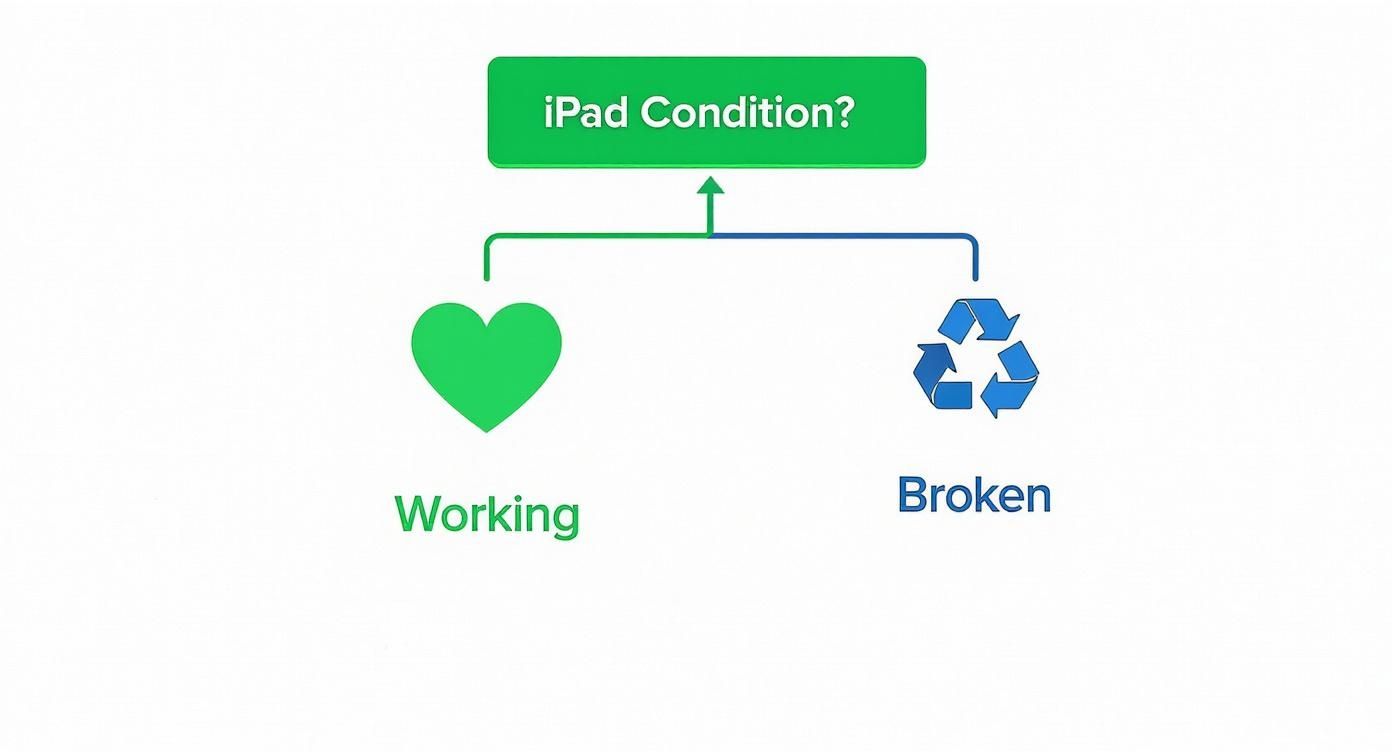
The main thing to remember is that even a broken, battered iPad has a proper home. It never needs to end up with the general rubbish.
Ultimately, your choice boils down to what you value most: speed, cash, creativity, or simply doing your bit for the environment. For the fastest cash offer with the least fuss, we're here to help.
If you want a fast, fair price with the convenience of a local service, why not get a free, no-obligation quote from us right now? Just fill out the straightforward sales form on our website to discover what your old iPad is worth today.
Got a Few Lingering Questions?
It's completely normal to have a few questions buzzing around when you're figuring out what to do with old iPads. It’s not something you do every day, after all. We've pulled together some of the most common queries we get asked, with straightforward answers to help you feel confident in your decision.
How Can I Tell Which iPad Model I Have?
This one’s nice and easy! Just pick up your iPad and pop into Settings > General > About. You’ll see the ‘Model Name’ listed clearly.
Alternatively, just flip it over. On the back, you’ll spot a tiny model number starting with an 'A' (something like A2228). A quick Google search of that number will tell you its generation, size, and specs. Knowing your exact model is a huge help, as it lets us give you the most accurate price possible when you fill out our quick sales form.
Is It Still Safe to Use an Old iPad That Doesn't Get Updates?
For simple, offline jobs – like turning it into a digital photo frame or a dedicated e-reader – you’ll be absolutely fine. But for anything else, you need to be a bit careful.
When an iPad stops getting updates from Apple, it also stops receiving the latest security patches. This leaves it more open to online threats. We’d strongly advise against doing anything sensitive like online banking, shopping, or typing passwords into websites if your device is no longer supported by the latest iPadOS.
Think of it like this: an outdated iPad is great for pottering around the house, but you wouldn't want to take it on a big, important journey without the latest safety features. Stick to secure devices for your private online stuff.
What Should I Do with a Broken iPad?
Even if your iPad has seen better days – maybe it has a smashed screen or won’t power on at all – it definitely doesn't belong in the general waste bin. It’s classed as e-waste, meaning it’s full of materials that can be recovered and reused, but also some components that need careful, professional disposal.
Your best bet is to take it to a proper e-waste recycling centre. You can usually find one at your local council tip. For example, if you're near Redhill or Merstham, the Surrey County Council website will point you to the right place. It’s also worth remembering that even broken devices can have some value for their parts, so it never hurts to get a quick quote from us at EXE first – you might be pleasantly surprised! Just visit https://www.exe.co.uk/#form.
Does a Factory Reset Really Wipe Everything?
Yes, it really does the trick! A factory reset is designed from the ground up to securely erase all your personal data, downloaded apps, and custom settings, effectively returning the iPad to the state it was in when you first took it out of the box.
To kick it off, head to Settings > General > Transfer or Reset iPad > Erase All Content and Settings. The crucial step, though, is to sign out of your Apple ID and iCloud account before you hit the reset button. This removes the Activation Lock and makes sure the device is completely free for the next person to use.
Ready to see what your old iPad could be worth? At EXE, we keep things simple, quick, and honest. Get a free, no-strings-attached quote in just a couple of clicks.
Get Your Instant Quote Now